What Is the Garmin ECG App and How Do You Use It?
The Garmin ECG app records a 30-second, single-lead ECG on select compatible watches and can identify signs of atrial fibrillation (AFib) or a normal sinus rhythm. It doesn't diagnose every heart problem.
On this page (9 sections)
- What is the Garmin ECG app?
- Which Garmin watches have ECG?
- How do you set up the Garmin ECG app?
- How do you record an ECG on a Garmin watch?
- What do Garmin ECG results mean?
- What can't the Garmin ECG app detect?
- How is Garmin ECG different from other ECG apps?
- What should you do after an unusual result?
- Is the Garmin ECG app worth setting up?
The Garmin ECG app records a 30-second, single-lead ECG on select compatible Garmin watches and can identify signs of AFib or a normal sinus rhythm. It gives you a brief heart rhythm recording, not a diagnosis or a full medical check.
The app uses electrical sensors in the watch and your fingers to capture the reading. You need a supported watch, compatible software, and a Garmin Connect account to set it up and review results.
What is the Garmin ECG app?
The Garmin ECG app is a watch feature that records the electrical pattern of your heartbeat for 30 seconds. It analyzes that single-lead recording for signs of atrial fibrillation, or AFib, and normal sinus rhythm.
It may also return an inconclusive result if the recording is unclear or doesn't fit those categories. The app can't identify every irregular rhythm, diagnose a heart condition, or replace care from a clinician.
Garmin describes the feature as intended for adults 22 and older. Follow the current app instructions for your country and watch, since availability and requirements may vary.
Which Garmin watches have ECG?
Only select Garmin watch models support ECG, and the feature may depend on your country, software version, and app setup. Check Garmin's current compatibility details before choosing a watch for ECG.
The Garmin Fenix 7 Pro ECG guide covers another Garmin model’s ECG workflow.
The feature has been available on certain Venu and fēnix models. For model-specific details, see our guide to which Garmin watches have ECG, plus the steps for Garmin fēnix 8 ECG and Garmin Venu 3 ECG.
A model name alone doesn't guarantee ECG access. If you're considering the Venu 4, check whether the Garmin Venu 4 has ECG and confirm the current regional requirements in Garmin Connect.
How do you set up the Garmin ECG app?
Update the compatible watch and Garmin Connect app, then follow Garmin's ECG setup prompts. The app guides you through pairing and initial setup, which may include confirming your age and location.
Before you begin, make sure the watch is snug and its sensors are clean and dry. Find a quiet place where you can sit comfortably with your arms supported.
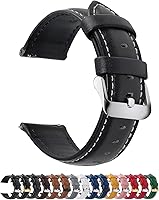
A watch band that fits comfortably can help keep the watch in place during daily wear. The Fullmosa leather band is offered in a 22 mm option and names several Garmin models as compatible, including Venu 3 and Venu 4 45 mm; measure your watch's lug width and check its exact fit before choosing.
How do you record an ECG on a Garmin watch?
Open the ECG app and follow the on-screen instructions while sitting still for 30 seconds. The watch will show where to place your fingers so its electrodes can read the heart's electrical signal.
- Sit down and rest your arms on a table or your lap.
- Keep the watch snug against your wrist and the sensors clean and dry.
- Open the ECG app on the watch.
- Touch the bezel or electrodes with the fingers shown in the prompts.
- Stay still and quiet until the recording finishes.
- Review the result on the watch or in Garmin Connect.
Movement, a loose fit, or poor finger contact can make a recording harder to interpret. If the app reports an issue, adjust your position and try again according to its instructions.
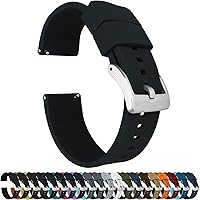
A silicone band is another option if you want a quick-release strap for a compatible watch. BARTON says its Elite Silicone bands use quick-release spring bars; select the exact lug width your watch requires.
What do Garmin ECG results mean?
A normal sinus rhythm result means the recording showed a regular rhythm during that short sample. A result showing signs of AFib means the app detected an irregular rhythm pattern that may be consistent with AFib, but a clinician must assess what it means for you.
An inconclusive result doesn't confirm a problem. It can mean the recording was unclear or the pattern wasn't one the app can classify.
The reading reflects only the brief moment when you recorded it. A watch ECG does not continuously monitor your heart, and a normal result doesn't rule out a heart problem outside that recording.
What can't the Garmin ECG app detect?
The Garmin ECG app doesn't detect heart attacks or every type of abnormal rhythm. It also can't replace a standard 12-lead ECG or a medical evaluation.
Don't use a result to delay care for chest pain, fainting, severe shortness of breath, or other sudden symptoms. Contact emergency services if symptoms are severe or urgent.
If the watch and ECG app show different heart rates, the readings may come from different methods or moments. Our guide explains why an ECG app can show a different heart rate than a watch.
How is Garmin ECG different from other ECG apps?
Garmin ECG records through a compatible watch, while phone-based ECG options may require a separate sensor or accessory. For another smartwatch ECG workflow, see how to Pixel Watch 3 ECG guide.
What works best depends on which devices you own and what recording method you need. For a broader look at a different health focused smartwatch, see the OnePlus Watch 3 review.
For a broader comparison of phone options, see what the best ECG app for iPhone is. App availability, compatible hardware, and permitted uses can differ by region, so confirm current details with the device maker.
What should you do after an unusual result?
Repeat a recording only as the app directs, and contact a health professional about repeated unusual results or symptoms. Save or share the ECG recording if your clinician asks for it.
Don't treat one watch reading as a diagnosis. If you have urgent symptoms, seek care even if the app reports normal sinus rhythm.
Is the Garmin ECG app worth setting up?
Set it up if you have a compatible watch and want a short, on-demand rhythm recording that you can review with Garmin Connect. For another wrist based ECG option, see Apple Watch Series 11 ECG.
Skip it as a reason to buy a watch if you need continuous monitoring, a heart attack detector, or a full medical ECG.
The app's main value is a quick recording that may flag signs of AFib. Use it as one piece of information, follow Garmin's instructions, and discuss concerning readings with a clinician.
Frequently asked questions
What does the Garmin ECG app do?
The Garmin ECG app records a 30-second, single-lead ECG using sensors on a compatible watch and your fingers. It can classify the recording as signs of AFib or normal sinus rhythm, or flag an inconclusive result.
It isn't a general heart screening or a diagnosis of all heart conditions.
Which Garmin watches have the ECG app?
ECG availability depends on the watch model, software, country, and setup requirements. Garmin has offered the feature on select Venu and fēnix watches, but the list can change.
Check Garmin's current compatibility information and the Garmin Connect app for your region before relying on a specific model.
How do I start an ECG on a Garmin watch?
Open the ECG app on a compatible, updated watch and follow its prompts. Sit down, rest your arms, and place your fingers on the watch bezel or electrodes as shown.
Keep still and avoid talking for the 30-second recording, then review the result in Garmin Connect.
Can Garmin ECG detect a heart attack?
No. The Garmin ECG app is designed to look for signs of AFib and normal sinus rhythm in a short, single-lead recording.
It cannot detect a heart attack or rule out other heart problems.
Seek emergency help for severe or sudden symptoms, regardless of a watch result.