How to Use ECG on the Garmin Fenix 7 Pro Series
The Garmin Fenix 7 Pro series cannot record an ECG. Its health tools use optical sensors and other measurements, but the watch does not provide the electrical contacts required for an ECG recording.
On this page (9 sections)
- Does the Garmin Fenix 7 Pro have ECG?
- Can the Garmin Fenix 7X Pro record an ECG?
- What can the Fenix 7 Pro measure instead?
- How should you check a concerning heart-rate reading?
- Which watch features are useful during training?
- Is the Garmin Fenix 8 different?
- Can a replacement band improve ECG readings?
- When should you use a professional ECG?
- What is the final Garmin Fenix 7 Pro ECG answer?
The Garmin Fenix 7 Pro series cannot record an ECG. The Fenix 7S Pro, Fenix 7 Pro, and Fenix 7X Pro use optical heart-rate sensing and other wellness tools, but they lack the electrical contacts needed to capture an electrocardiogram.
That means there is no ECG setup to complete. You will not find a supported ECG app in the watch menu, and a software update cannot add the missing hardware.
This limit applies across the whole Pro family. The smaller 7S Pro, standard 7 Pro, and larger 7X Pro share the same basic approach to wrist sensing.
Optical sensing looks at blood flow through the skin. It can estimate pulse during daily wear, sleep, and training, but it does not record the heart electrical signal an ECG is meant to capture.
That difference matters for symptoms and for choosing a watch. A pulse number may show a faster or slower beat at a given moment, but it cannot show the full electrical pattern behind that beat.
Do not expect a new band, case, or accessory to change this result. Fit can affect how steady an optical reading looks, but no strap can supply electrical contacts this design does not include.
Software updates follow the same rule. Garmin can refine heart rate, sleep, recovery, and training tools, but it cannot turn optical sensing into an ECG without the required hardware.
If you mostly train, hike, or swim, the watch still gives useful data. Keep that data in its proper place, as training and wellness context rather than a heart rhythm test.
Does the Garmin Fenix 7 Pro have ECG?
No, the Garmin Fenix 7 Pro does not have ECG hardware or ECG recording support. The same applies to the Fenix 7S Pro and Fenix 7X Pro models.
An ECG measures the heart's electrical activity through contacts that detect signals across the body. The Fenix 7 Pro family can measure pulse through optical sensing at the wrist, but pulse measurement is not the same as an electrocardiogram.
Garmin's health and fitness features for its watches include heart-rate tools, stress tracking, pulse ox features, respiration data, and activity information. Those tools can help you observe patterns, but they don't turn the Fenix 7 Pro into a diagnostic ECG device.
Can the Garmin Fenix 7X Pro record an ECG?
The Garmin Fenix 7X Pro cannot record an ECG either. For another rugged outdoor watch, read the Amazfit T-Rex 3 Pro review.
Its larger case and longer battery focus on outdoor use and endurance, not electrical heart-rhythm recording.
The Fenix 7S Pro also lacks ECG recording. The Garmin Venu 2 ECG answer also depends on the exact model.
Case size does not change this limitation because the Pro models share the same basic approach to wrist heart-rate sensing.
If you're comparing the standard Fenix 7 with the Pro family, our guide to whether the Garmin Fenix 7 can record an ECG covers the same key point: these watches do not provide a built-in ECG recording feature.
What can the Fenix 7 Pro measure instead?
The Fenix 7 Pro can measure wrist heart rate and display related training and wellness data, but those readings are not ECG results. Use them to understand activity patterns, not to confirm or rule out a rhythm condition.
Depending on the model, settings, region, and connected accessories, Garmin health tools may include:
- Wrist-based heart rate
- Resting heart-rate trends
- Heart-rate alerts
- Stress estimates
- Pulse oximeter readings
- Respiration data
- Sleep and recovery information
- Training load and performance measurements
Optical readings can change because of movement, a loose fit, cold skin, sweat, tattoos, or other contact issues. A single unusual number does not identify the cause of a symptom.
The watch can also show high or low heart-rate alerts when configured. Treat an alert as a reason to stop and pay attention to your condition, not as an ECG diagnosis.
How should you check a concerning heart-rate reading?
Stop the activity, sit quietly, and consider how you feel before relying on another watch reading. Tighten the watch enough for normal sensor contact without making it uncomfortable, then repeat the measurement after resting.
Seek urgent medical help for chest pain, fainting, severe breathing trouble, new weakness, or a rapid or irregular heartbeat with concerning symptoms. Don't use a Fenix reading to delay care.
If the same pattern returns without an emergency symptom, record when it happens, what you were doing, and any symptoms you noticed. Share that information with a health professional.
Can a chest strap add ECG to the Fenix 7 Pro?
No, a chest strap does not add ECG recording to the Garmin Fenix 7 Pro. It may improve heart-rate data during exercise, but training heart rate is different from an electrical rhythm strip.
Our guide to using a chest strap ECG for running explains why sports heart-rate accessories and clinical ECG devices serve different purposes. A strap may suit training analysis, while a clinician may use a separate ECG system to assess symptoms.
Don't assume that an accessory described with ECG language creates a medical ECG record on the watch. Check the accessory's supported functions and Garmin compatibility before buying.
Which watch features are useful during training?
The Fenix 7 Pro is useful for training when you need heart-rate zones, activity data, navigation, and recovery information. These features help you manage workouts, but they don't replace an ECG or a medical evaluation.
Use the watch to review how your heart rate changes during an activity. A sudden reading that does not match your effort can be a reason to pause, check the fit, and repeat the measurement.
If you use a band with the watch, choose one that fits the correct lug width and does not interfere with the optical sensor. A loose watch can create poor readings, while an overly tight band can be uncomfortable during long activities.
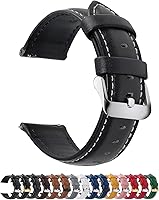
The Fullmosa band is described for several 22mm watches, including Garmin Venu and Forerunner models, but its product information says it is not compatible with Garmin Fenix watches. Check your Fenix case and lug width before considering any replacement band.
Is the Garmin Fenix 8 different?
Some Garmin Fenix 8 models support ECG where the feature is available, but that does not make the Fenix 7 Pro ECG-capable. ECG support depends on the watch hardware, supported region, software, and Garmin's current compatibility rules.
Read how to use ECG on the Garmin Fenix 8 if you're comparing generations. The presence of an ECG feature on a newer model should not be treated as evidence that an older model can gain it through an update.
You can also review which Garmin watches have ECG before choosing a replacement. Confirm the exact model and region because Garmin may limit ECG availability by country.
Can a replacement band improve ECG readings?
A replacement band cannot create ECG readings on a Fenix 7 Pro. It can only change how the watch sits on your wrist, and it must match the watch's lug width and attachment system.
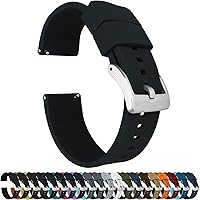
BARTON's Elite Silicone Watch Bands are offered in several widths and use quick-release spring bars. The exact width must match the watch lugs, and the product information lists compatibility with selected traditional and smart watches rather than confirming Fenix 7 Pro compatibility.
A comfortable band may help you keep a watch in a steady position during exercise, but it cannot improve an electrical signal that the watch does not measure. Use the watch's fit guidance and confirm compatibility before ordering.
When should you use a professional ECG?
Use a professional ECG when a clinician needs to assess symptoms or an abnormal rhythm. A smartwatch heart-rate reading can provide useful context, but it cannot diagnose every cause of palpitations, dizziness, chest discomfort, or fainting.
If a health professional recommends an ECG, follow that advice even if your Fenix reading looks normal. Symptoms can come and go, and a normal watch number does not rule out a problem.
A professional test also gives a clinician a record made for assessment. That record can be reviewed alongside your history, examination, and other findings, which a single wrist pulse value cannot provide.
Timing can be another reason to seek care promptly. If an episode lasts only a short time, a later appointment may miss it, so note the time, activity, and symptoms as clearly as you can.
Do not wait for a watch alert before acting on how you feel. Chest pain, fainting, severe shortness of breath, or a fast irregular heartbeat with concerning symptoms needs prompt medical attention.
Our guide on when to skip the home device and get a pro EKG explains when professional assessment makes more sense than relying on a consumer device.
Bring useful details to the appointment rather than relying on memory alone. Your notes can cover when the episode started, how long it lasted, and what you were doing at the time.
Keep the Fenix 7 Pro in its proper role after that visit. It can still help you track training, sleep, and recovery, while medical decisions stay with qualified care.
What is the final Garmin Fenix 7 Pro ECG answer?
The Garmin Fenix 7 Pro ECG answer is simple: it cannot record an ECG, and the Fenix 7S Pro and 7X Pro cannot record one either. Use the watch for heart-rate trends and training data, then seek medical care when symptoms or repeated abnormal readings need assessment.
Choose a Garmin model with confirmed ECG support if an on-demand electrical rhythm recording is a key requirement. For an Apple option, see Apple Watch Series 11 ECG guidance.
Otherwise, keep the Fenix 7 Pro for the training features it actually supports, and use a professional ECG when you need clinical rhythm evaluation.
Frequently asked questions
Does the Garmin Fenix 7 Pro have ECG?
No. The Garmin Fenix 7 Pro, 7S Pro, and 7X Pro do not record an electrocardiogram.
They can track heart rate and other wellness data through optical sensing, but they do not have the electrical contacts and ECG app support needed to capture an ECG.
Can the Garmin Fenix 7X Pro record an ECG?
No. The Garmin Fenix 7X Pro does not record an ECG, even though it offers advanced training and health features.
A compatible Garmin watch with ECG support is required for an electrical rhythm recording, and the feature also depends on region and software availability.
What should I do if my Garmin shows an abnormal heart rate?
Pause the activity and check how you feel. Sit quietly, repeat the measurement when appropriate, and seek medical care for chest pain, fainting, severe shortness of breath, or a fast or irregular heartbeat that does not settle.
A smartwatch reading cannot diagnose a heart condition.
Can a chest strap add ECG to the Fenix 7 Pro?
A compatible chest strap can provide additional heart-rate and training data, but it does not turn the Fenix 7 Pro into an ECG recorder. For a medical-grade rhythm assessment, use a device and service intended for ECG recording, following advice from a qualified clinician.