How to Sync ECG Monitor to iPhone?
On this page (3 sections)
To sync your ECG monitor to your iPhone, you will typically need to download the manufacturer’s app, pair your device via Bluetooth, and then follow the app’s instructions to record and transfer your ECG data. This process allows your phone to become a central hub for your heart health information. For more on sync ecg monitor android phone, see this guide.
Connecting your ECG monitor with your iPhone offers a convenient way to track your heart rhythm over time. You can easily view, store, and even share your readings with your doctor, giving you better control over your cardiac wellness journey. It’s like having a miniature clinic right in your pocket!
- Download the specific app for your ECG device.
- Pair the monitor with your iPhone using Bluetooth.
- Record ECG readings directly through the app.
- View, save, and share your heart health data easily.
Are you ready to connect your health data to your phone? Let’s walk through the steps to get your ECG monitor talking to your iPhone.
Connecting Your ECG Monitor to Your iPhone
Connecting your ECG monitor to your iPhone makes tracking your heart health simpler than ever. It’s a straightforward process that puts your data right at your fingertips.
Preparing for the Sync: What You Need
Before you dive into syncing, gather a few essentials. Think of it like preparing for a mini-adventure – you need the right gear!
Your ECG Monitor and iPhone
First, ensure you have both your ECG monitor and your iPhone ready. Your monitor should be charged or have fresh batteries. Your iPhone should also have sufficient battery life.
Is your iPhone running the latest operating system? We found that an up-to-date iOS often prevents compatibility issues. A quick check in your iPhone settings can confirm this.
The Manufacturer’s Companion App
Every ECG monitor brand usually has its own dedicated app. This app is the “interpreter” that helps your monitor and iPhone understand each other. For more on ecg app iphone, see this guide. For example, if you have a KardiaMobile, you’ll need the AliveCor app (AliveCor).
You can find this app in the Apple App Store. Just search for your monitor’s brand name. It’s usually a free download.
The Step-by-Step Syncing Process
Now that you’re prepared, let’s get your devices talking. The process is generally similar across different brands, with minor variations.
Downloading and Installing the App
Your first step is to download the correct app from the App Store. Open the App Store on your iPhone, type in the name of your ECG monitor’s manufacturer, and hit search.
Once you find the app, tap “Get” and then “Install.” You might need to enter your Apple ID password or use Face ID/Touch ID to confirm the download. It’s just like downloading any other app.
Creating an Account and Setting Up Your Profile
Most health apps require you to create an account. This helps in securely storing your data and making it accessible across devices if needed. You’ll typically enter your email, create a password, and maybe provide some basic health information.
Don’t worry, this information is usually protected by strong privacy measures. Many apps are HIPAA compliant, meaning your health data is kept confidential (HHS.gov).
Enabling Bluetooth on Your iPhone
Bluetooth is the invisible bridge between your ECG monitor and your iPhone. You’ll need to make sure it’s turned on. Swipe down from the top right corner of your iPhone screen to open the Control Center.
Look for the Bluetooth icon (it looks like a stylized ‘B’). If it’s not blue, tap it to turn it on. Your iPhone is now ready to look for devices.
Pairing Your ECG Monitor with Your iPhone
This is where the magic happens! Open your ECG monitor’s app. The app will likely guide you through the pairing process. It might ask you to “Add Device” or “Connect Monitor.”
Many monitors require you to activate them physically for pairing. This could mean pressing a button on the device or holding it in a certain way. Follow the app’s on-screen instructions carefully.
Once your iPhone detects your ECG monitor, you’ll usually see its name appear in a list. Tap on it to complete the pairing. You might see a confirmation message, like “Connected” or “Paired.”
Taking Your First ECG Reading
With your monitor paired, you’re ready to take your first reading. The app will typically have a prominent button like “Record ECG” or “Start Measurement.”
The method for taking an ECG varies by device. Some monitors require you to place your fingers on sensors, while others might stick to your chest. Always refer to your monitor’s specific instructions for the best results.
During the recording, try to stay still and avoid talking. Movement can interfere with the signal and lead to unclear readings. It’s like trying to take a clear photo when the camera is shaking.
Reviewing and Managing Your Data
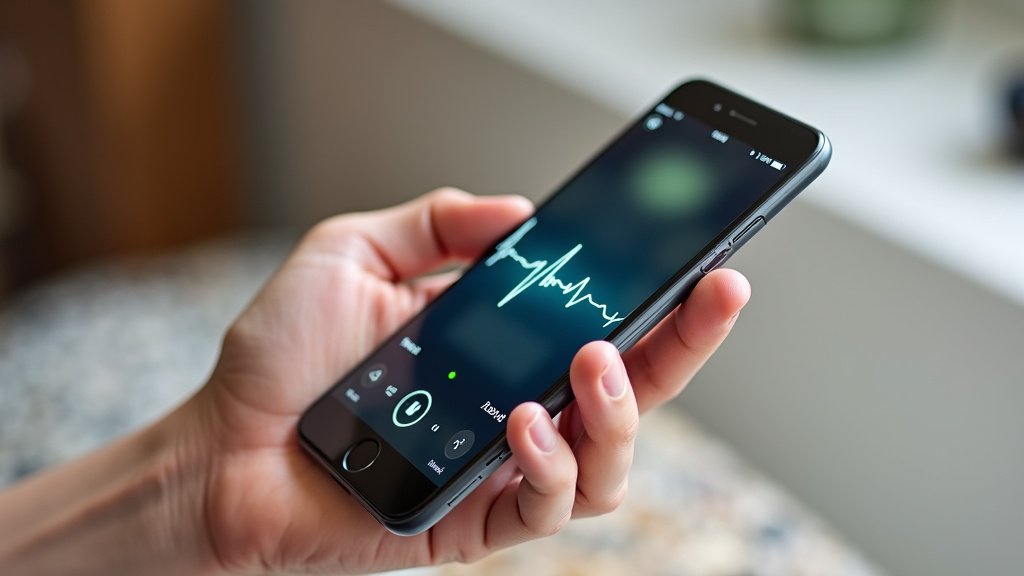
Once an ECG is recorded, the data will automatically transfer to your iPhone via the app. You’ll see a visual representation of your heart’s electrical activity.
The app will often provide an initial analysis, such as “Normal Sinus Rhythm” or “Possible Atrial Fibrillation.” Remember, these are usually preliminary readings, not a definitive diagnosis (Mayo Clinic).
Storing and Organizing Readings
Your readings are typically stored within the app. You can often add notes to each reading, like how you were feeling at the time or what you were doing. This context can be very helpful for your doctor.
Many apps also offer trending views, allowing you to see how your heart rhythm changes over days, weeks, or months. This long-term perspective is excellent for tracking your heart health journey.
Sharing Data with Your Healthcare Provider
One of the biggest benefits of syncing your ECG to your iPhone is the ease of sharing data. Most apps allow you to export your ECGs as PDFs or other formats. You can then email these directly to your doctor’s office.
Imagine being able to show your doctor real-time data from when you experienced symptoms. This can help them make more informed decisions about your care.
Troubleshooting Common Syncing Issues
Sometimes, technology can be a little stubborn. If your ECG monitor isn’t syncing, don’t despair! Here are some quick fixes we’ve found to be helpful.
| Issue | Possible Solution |
|---|---|
| Monitor not found by iPhone |
|
| App crashes or freezes |
|
| Inaccurate or poor quality readings |
|
Maintaining Your Connection and Monitor
Keeping your ECG monitor and its connection to your iPhone in good shape will ensure reliable readings for a long time. It’s about a little TLC for your tech!
- Keep the App Updated: Regularly check for updates for your ECG app. Updates often include bug fixes and performance improvements.
- Monitor Battery Life: Ensure your ECG monitor is always charged or has fresh batteries. A low battery can affect connectivity and reading quality.
- Clean Your Monitor: Gently wipe down the sensors with a soft, dry cloth after each use. Avoid harsh chemicals, which can damage the device.
- Store Properly: Store your ECG monitor in a clean, dry place, away from extreme temperatures and direct sunlight.
- Review Data Regularly: Make a habit of reviewing your ECG readings. This helps you understand your heart health patterns and notice any significant changes.
- Consult Your Doctor: Always discuss any concerning readings or symptoms with your healthcare provider. Your ECG monitor is a tool, not a replacement for professional medical advice.
Conclusion
Connecting your ECG monitor to your iPhone puts your heart health data right into your hands. By following these steps, you gain a powerful tool for self-monitoring and communication with your healthcare team. You can easily track patterns, store vital readings, and share information that helps your doctor understand your health better. Take charge of your cardiac wellness journey today by syncing your devices and staying informed.
Frequently Asked Questions
Can I use any ECG monitor with my iPhone?
No, you need an ECG monitor specifically designed to connect with smartphones. Most major brands create devices that are compatible with iPhones. Always check the product specifications before purchasing.
What if my ECG app doesn’t save my readings?
First, check if your iPhone has enough storage space. Then, make sure you have a stable internet connection if the app relies on cloud storage. You might also need to check the app’s settings to ensure data saving is enabled.
Is my ECG data secure when synced to my iPhone?
Reputable ECG monitor apps use strong encryption to protect your health data. Many are also designed to be HIPAA compliant, ensuring your information remains confidential. We found checking the app’s privacy policy is always a good practice.
Can my doctor access my synced ECG data directly?
Typically, your doctor cannot directly access your app data without your permission. Most apps allow you to export your readings, often as a PDF, which you can then email or print for your doctor. This puts you in control of sharing.
How often should I sync my ECG monitor?
Sync your ECG monitor every time you take a reading to ensure all your data is captured. Regularly syncing keeps your health record complete and up-to-date. This makes it easier to track changes over time.