Why Is My Holter Monitor Beeping?
On this page (7 sections)
Your Holter monitor beeping is likely a signal that it’s detecting an important heart rhythm or an issue with the device itself. Learn more about wearable Holter monitoring. It’s designed to alert you when something out of the ordinary happens during your monitoring period. Think of it as your heart’s little messenger, or sometimes, a gadget with a mind of its own.
While a beep might seem alarming, understanding why it’s happening can bring peace of mind; this guide explains what to expect wearing a Holter. Often, it’s simply recording data or indicating a connection issue. We found that most beeps have a straightforward explanation, ranging from a simple reminder to a necessary data capture.
- Holter monitor beeps usually mean it’s recording your heart’s activity.
- It could also be alerting you to a problem with the device or its connection.
- Don’t panic; most beeps have simple explanations.
- Note down when the beep occurs and what you were doing.
Let’s walk through the common reasons your Holter monitor might be making noise, so you know exactly what to do.
Decoding Your Holter Monitor’s Beeps: What They Mean
It’s completely understandable to feel a bit anxious when your Holter monitor starts beeping. You might be wondering, “What’s going on with my heart?” or even, “Is this thing broken?” We found that most of the time, these beeps are simply signals that your monitor is doing its job, or perhaps, there’s a minor adjustment needed. Let’s break down the common reasons behind those beeps so you can feel more in control. If you’re unsure about the device, our guide on how to wear a Holter monitor properly can help.
When Your Holter Monitor Is Actively Recording
One of the most frequent reasons your Holter monitor will beep is that it’s actively recording a specific heart rhythm. Think of it as the device saying, “Gotcha! I’m capturing something important right now.” This beep is a positive sign that it’s collecting the data your doctor needs.
The “Event” Beep: Capturing Your Symptoms
If you experience a symptom like palpitations, dizziness, or shortness of breath, your doctor likely instructed you to press a button on the monitor. When you do this, the Holter monitor often emits a beep. This beep confirms that you’ve successfully marked the moment you felt something unusual. This is incredibly helpful for your cardiologist to correlate your symptoms with your heart’s electrical activity.
We found that many patients worry this “event” beep means something is wrong. However, it’s usually just the device acknowledging your input. It’s like pressing a button on a camera to take a picture of a beautiful sunset – you’re capturing a moment you want to remember.
Automatic Event Recording
Sometimes, the Holter monitor will beep without you pressing any buttons. This means the device’s internal programming has detected an abnormal heart rhythm on its own. These automatic recordings are vital because they can capture events you might not even notice or that don’t cause noticeable symptoms. It’s your monitor being a diligent detective.
While hearing a beep for an automatic event might sound concerning, remember it’s the monitor doing exactly what it was designed to do: identify potential issues. Your doctor will review this data to understand your heart’s behavior better.
Troubleshooting Device Connection Issues
Beyond recording heart activity, beeps can also signal that the Holter monitor isn’t getting the best connection to your skin. These are usually simple fixes that can be resolved quickly.
Loose Electrodes: The Most Common Culprit
The electrodes are the small patches that stick to your chest and connect to the monitor. If one of these electrodes becomes loose, the monitor might not be able to pick up a clear signal from your heart. This can trigger a beeping sound. It’s like a phone losing its Wi-Fi signal; it can’t transmit information effectively.
What to do: Gently press down on the electrode to ensure it’s firmly attached. If it feels like it’s peeling off or has lost its stickiness, you might need to replace it. If you have spare electrodes, follow the instructions you were given for application. Make sure your skin is clean and dry before applying new ones.
Wire Disconnections
Each electrode is connected to the Holter monitor by a small wire (or lead). If one of these wires becomes detached from either the electrode or the monitor itself, the device will likely beep. This alerts you that the connection has been interrupted.
What to do: Check all the wires to make sure they are securely plugged into the monitor. Also, ensure the other end is properly connected to the electrode patch. Sometimes, a wire can get snagged and pull loose without you realizing it. Reconnecting it should stop the beep.
Moisture or Sweat Interfering
Excessive moisture, such as from heavy sweating or showering (if not waterproofed), can interfere with the electrode’s adhesion and the electrical signal. This interference can sometimes cause the monitor to beep.
What to do: If you’ve been sweating heavily, gently pat the area around the electrodes dry. Avoid vigorous rubbing. If you plan to shower and your monitor isn’t waterproof, make sure to disconnect it according to your doctor’s instructions and reattach it afterward.
When the Monitor Needs Attention: Battery or Device Issues
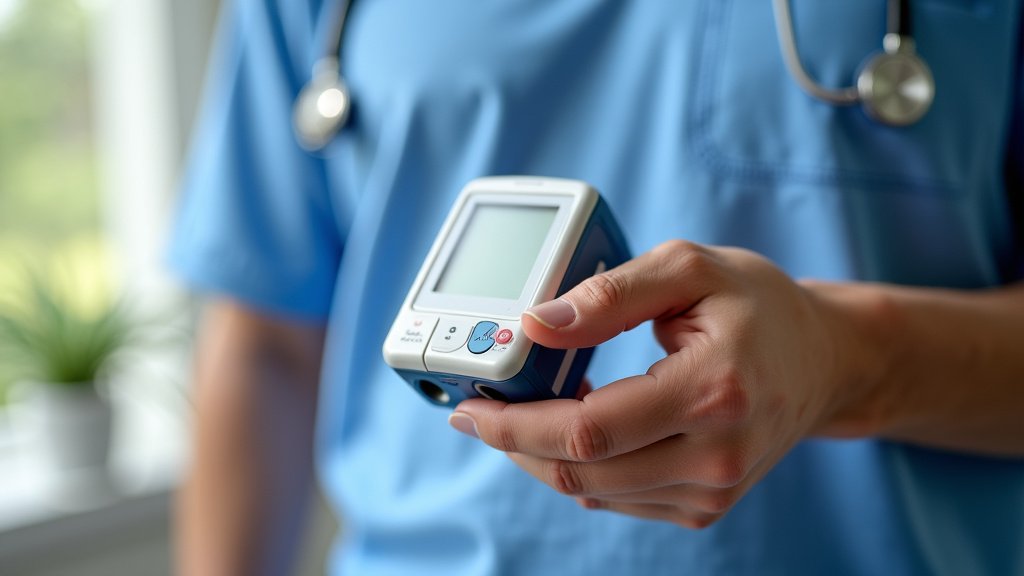
Occasionally, a beep might indicate that the Holter monitor itself needs some attention, such as a low battery.
Low Battery Warning
Like any electronic device, Holter monitors have batteries that will eventually run low. Many models are designed to beep periodically to let you know the battery is getting weak and needs to be replaced. This is a crucial alert to ensure continuous monitoring.
What to do: If you suspect a low battery, contact your doctor’s office or the clinic that provided the monitor. They will advise you on how to get the battery replaced or swap out the unit. It’s important to do this promptly so you don’t miss any critical data.
Internal Device Malfunction
While less common, it’s possible the Holter monitor unit itself could have a malfunction. If the monitor is beeping persistently, and you’ve checked all connections and electrodes, it might be a sign that the device isn’t working correctly.
What to do: In this scenario, you should immediately contact your healthcare provider. They can help diagnose the issue and provide a replacement unit if necessary. Do not try to fix the device yourself, as this could damage it further or compromise the data.
What You Should Do When Your Holter Monitor Beeps
When your Holter monitor beeps, it’s important to stay calm and take a systematic approach to figure out the cause. We found that a little bit of proactive tracking can make a big difference for your doctor.
Here’s a quick checklist to guide you:
- Note the time: Record the exact time the beep occurred.
- Note your activity: What were you doing right before and during the beep?
- Note your symptoms: Were you experiencing any chest pain, palpitations, dizziness, or other unusual sensations?
- Check the electrodes: Are they all securely attached to your skin?
- Check the wires: Are all connections to the monitor and electrodes firm?
- Press the event button (if instructed): If the beep is due to a symptom, mark it.
This information will be incredibly helpful when you speak with your doctor or their staff. It helps them piece together the puzzle of your heart’s activity more accurately. Many clinical guidelines suggest keeping a detailed symptom diary alongside Holter monitoring for this very reason.
| Type of Beep | Likely Cause | What To Do |
|---|---|---|
| Single beep when you feel symptoms | You pressed the event button | Note the time and symptom. No immediate action needed unless instructed otherwise. |
| Repeated beeps (can vary by model) | Loose electrode or dislodged wire | Check and re-secure all connections. |
| Continuous or persistent beeping | Low battery or device malfunction | Contact your healthcare provider immediately. |
| Beep without user interaction | Automatic detection of an irregular heart rhythm | Note the time and any symptoms. Your doctor will review. |
Remember, the Holter monitor is a diagnostic tool. Its beeps are designed to provide you and your doctor with essential information. By understanding these signals, you can better manage your monitoring period and feel more confident about your heart health journey.
Conclusion
Your Holter monitor’s beeps are simply its way of communicating with you. We’ve seen that these sounds often signal that it’s actively recording important heart rhythms, confirming you’ve marked an event, or alerting you to a minor connection issue. Sometimes, it might even be a low battery warning. The key is not to panic. By understanding these common alerts, you can confidently troubleshoot simple problems like loose electrodes or wires. Remember to log any beeps along with your symptoms and activities. This information is essential for your doctor to get the clearest picture of your heart health. If you’re ever unsure or if the beeping is persistent, don’t hesitate to reach out to your healthcare provider for guidance.
Frequently Asked Questions
Will my Holter monitor beep if my heart is beating too fast or too slow?
Yes, your Holter monitor is designed to beep if it detects significant changes in your heart rate, whether it’s too fast (tachycardia) or too slow (bradycardia). This automatic recording is a key function to help your doctor identify potential issues you might not even be aware of. Note the time and any symptoms you experience when this happens.
How long do I need to wear the Holter monitor?
The duration for wearing a Holter monitor typically ranges from 24 to 48 hours, though some patients may be asked to wear it for longer periods, up to a week. Your doctor will provide specific instructions based on your individual needs and the type of heart rhythm being monitored, including how to sleep with a Holter. Always follow your doctor’s prescribed wear time.
What should I do if the Holter monitor beeps and I feel fine?
If your Holter monitor beeps and you don’t experience any symptoms, first check the connections of the electrodes and wires to ensure they are secure. If everything looks fine, simply make a note of the time the beep occurred and what you were doing. Your doctor will review this data to see if the device detected an automatic event or if there was a minor technical alert.
Can I shower or bathe while wearing a Holter monitor?
Most Holter monitors are not waterproof. You will likely need to disconnect the monitor unit itself before showering or bathing and reattach it afterward. Follow the specific instructions provided by your doctor or the clinic regarding how to safely disconnect and reconnect the device to avoid damage and ensure continuous recording.
Is a beep from the Holter monitor always a sign of a serious heart problem?
No, a beep from your Holter monitor is not always an indicator of a serious heart problem. As we’ve discussed, beeps can signal that the device is recording data, you’ve pressed the event button, or there’s a minor issue with electrode placement or battery life. It’s a diagnostic tool that provides information, and your doctor will interpret all the data collected.