How to Export an ECG from a Watch 7
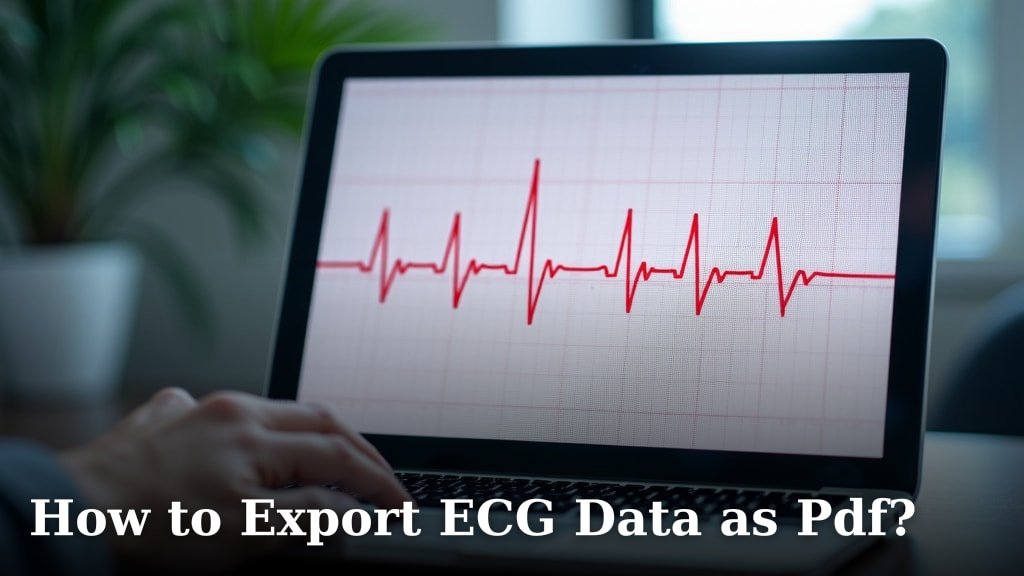
To export an ECG from a watch 7, use the health app paired with that watch: Apple Watch recordings are in the Health app on iPhone, while Galaxy Watch recordings are in Samsung Health Monitor. Open the ECG record and use the app's sharing or PDF option.
On this page (8 sections)
- Where do you export an ECG from an Apple or Galaxy Watch 7?
- How do you export an ECG from an Apple Watch?
- How do you export an ECG from a Galaxy Watch 7?
- What should you check before sharing the ECG file?
- What if the ECG export option is missing?
- Does exporting an ECG tell you whether the result is accurate?
- Which watch accessories help with ECG use?
- How do you choose the right export method?
To export an ECG from a watch 7, open the health app paired with the watch and export the saved recording there. Apple Watch ECGs are managed in the iPhone Health app, while Galaxy Watch 7 ECGs are handled through Samsung Health Monitor.
The exact menu can vary with phone software, app version, and region. Find the recording first, then use the app's available sharing or PDF option and confirm the saved file opens.
Where do you export an ECG from an Apple or Galaxy Watch 7?
Use the paired phone's health app, not the watch face, to find and share a saved ECG. Apple Watch recordings appear in Health on iPhone; Galaxy Watch 7 recordings appear in Samsung Health Monitor on the paired phone.
Keep the phone and watch connected while checking for a recent record. If the recording is missing, confirm that ECG recording is supported in your location and that setup is complete for your device and account.
A watch ECG is a single-lead recording made for personal reference. It doesn't replace a clinical ECG or determine every heart condition, so share it with a healthcare professional when you have questions about symptoms or results.
For the related question of blood pressure, see Apple Watch blood pressure.
How do you export an ECG from an Apple Watch?
Open the Health app on the iPhone paired with the Apple Watch, then select the ECG record you want to share. The app's export or share control can create a PDF report, depending on the iOS version and available options.
- Open Health on the paired iPhone.
- Tap Browse, then Heart, then Electrocardiograms (ECG).
- Select the recording by date and time.
- Choose the PDF export or share control shown for that record.
- Save the file or select a sharing method offered by your phone.
Check the recipient and file before sharing, especially if several recordings appear close together. A PDF is convenient for reading, but it isn't the same as raw ECG data in a spreadsheet format.
For a broader walkthrough of how to export and print your ECG data easily, use the steps that match the app and file you need.
How do you export an ECG from a Galaxy Watch 7?
Open Samsung Health Monitor on the phone paired with the Galaxy Watch 7 and select the ECG history or recording. If the app shows a share or PDF control, follow it to save or send the report.
- Open Samsung Health Monitor on the paired phone.
- Find the ECG section or recording history.
- Select the ECG you need and check its date and time.
- Tap the available share or PDF option.
- Save the report or choose a recipient through the phone's sharing menu.
Samsung's menu labels and supported options may change with app updates and regional availability. If there is no export control, check the app's help or support information for your phone and software version.
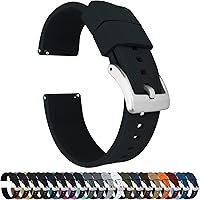
A Galaxy Watch band doesn't affect the export process, but a compatible, comfortable band can make regular wear easier. The BARTON Elite Silicone Watch Bands are offered in several widths, and BARTON names Galaxy Watch 7 among compatible watches for its 20 mm band.
Check your watch's exact lug width before choosing a band. The Fullmosa leather band specifically names Galaxy Watch 46 mm and Galaxy Watch 3 45 mm compatibility, so it isn't a Watch 7 pick based on the available model details.
What should you check before sharing the ECG file?
Confirm the selected recording, date, and file format before sending anything. Open the saved file once to make sure it displays correctly and isn't an empty share or an unrelated record.
Use the sharing method your clinician or clinic requests. A secure patient portal may be preferable to ordinary email for health information, and you can ask the clinic whether it accepts a PDF, image, or another format.
If you need a portable document, follow how to export ECG data as PDF for general PDF steps. Don't assume that every watch app can export the underlying waveform in a format suitable for analysis.
Some apps offer a report but not a CSV file. See which ECG apps can export CSV files if raw data is the specific file type you need.
What if the ECG export option is missing?
Check that you are using the correct paired-phone app and that the ECG recording is saved there. Then update the app and phone software if appropriate, and review the app's current help instructions.
On Apple devices, verify that Health is showing the ECG category and that you're viewing the correct iPhone profile. On Galaxy devices, confirm Samsung Health Monitor is set up for the watch and that ECG is available for your region and device.
A record that hasn't synced may not appear immediately. Keep the phone nearby, reopen the app, and check again before repeating the measurement.
If a menu still differs from these steps, follow the current instructions from Apple or Samsung for your specific phone and app version. Avoid third-party upload sites when you don't know how they handle personal health files.
Does exporting an ECG tell you whether the result is accurate?
Exporting only saves or shares a recording; it doesn't confirm that the ECG is accurate or provide a diagnosis. Read the app's result and limits, then discuss a concerning result or ongoing symptoms with a healthcare professional.
Watch ECGs can help capture information for a conversation with a clinician, but they don't detect every heart problem. Don't delay urgent care to make or export a watch recording if you have severe chest pain, trouble breathing, fainting, or other emergency symptoms.
For context about what a watch recording can and can't show, read how accurate an Apple Watch ECG is. If you're considering another device, compare the best Apple Watch alternative for ECG with your phone and app needs.
Which watch accessories help with ECG use?
A suitable band can help keep a watch comfortable for daily wear, but it doesn't change ECG export steps or results. Match the band's width and stated compatibility to your exact watch model.
The BARTON Elite Silicone Watch Bands offer quick-release spring bars and are named as compatible with Galaxy Watch 7 when using a 20 mm band. That model-specific fit makes it the most relevant option here for Watch 7 owners.
How do you choose the right export method?
For Apple Watch, start in Health on the paired iPhone; for Galaxy Watch 7, start in Samsung Health Monitor. Choose PDF when you need a readable report, and check app support before expecting CSV or raw waveform data.
If a clinician needs the recording, ask which format and delivery method to use, then confirm the exported file is the correct one. For another watch workflow, see how to send a Garmin watch ECG to your doctor.
Frequently asked questions
How do I export an ECG from an Apple Watch?
Open the Health app on the paired iPhone, go to Browse, then Heart and Electrocardiograms (ECG). Select the recording and choose the option to export it as a PDF or share it, if available in your app version.
Check the saved file before sending it.
How do I export an ECG from a Galaxy Watch 7?
Open Samsung Health Monitor on the paired phone and find the ECG record in the app's ECG section or history. Use its share or PDF option if available.
Menu names and export options can differ by phone, region, and software version, so check the current app instructions.
Can I export a watch ECG as a CSV file?
A watch ECG app may offer a PDF or image-style report instead of raw waveform data in CSV format. Check the export choices in the paired health app before relying on a particular file type.
Our guide to ECG apps that export CSV files explains what to look for.
Can I send a watch ECG to my doctor?
You can share an exported ECG file with your clinician if the app offers a share option and your clinician can receive that format securely. Confirm the file includes the right recording and date, and ask how the clinic wants it sent.
A watch ECG is not a substitute for medical care.