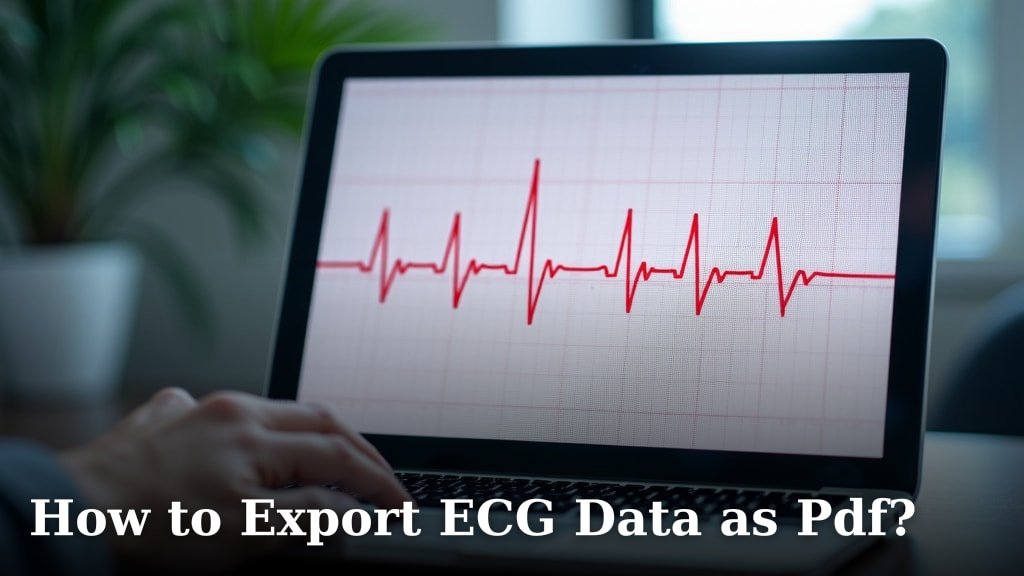
Which ECG Apps Can Export CSV Files?
Some ECG apps export CSV files, but support depends on the app, device, and export route. Check whether the file contains waveform samples or summary measurements, then confirm the receiving software can use it.
On this page (8 sections)
- Which ECG apps export CSV files, and how can you tell?
- What should an ECG CSV contain?
- How should you choose an ECG app for CSV export?
- Can a smartwatch ECG app export CSV?
- How do you set up a reliable ECG export workflow?
- What common ECG CSV mistakes should you avoid?
- Should you send ECG data as CSV or PDF?
- Which ECG apps export CSV files for your needs?
Some ECG apps export CSV files, but which ECG apps export CSV files depends on the app, device, and export route. Before choosing one, find out whether its file contains the ECG waveform or just summary measurements, and whether your intended software can read the columns.
CSV can help you sort, graph, or analyze data with compatible tools. PDF is often more convenient for reading and sharing a fixed report, so the right format depends on what you need to do next.
If a PDF suits your sharing needs better, see How to Export and Print Your ECG Data easily. If you want a phone-first option, our guide to the best ECG app for iPhone covers broader app features.
Which ECG apps export CSV files, and how can you tell?
An ECG app exports CSV only if it offers that format directly or connects to a service that can create one. A PDF button, a share option, or a health-platform connection does not by itself confirm CSV export.
Look in the app’s export or sharing menu, its help materials, and the connected health platform you use. App features can vary by device, software version, account settings, and region, so confirm the current steps on your setup before building a recurring workflow around them.
If considering Garmin, check whether the Venu 4 has ECG.
Check what kind of data the export contains, too. A file might hold a waveform, calculated measurements, a result label, or a mix of these.
Those options serve different purposes, and the word “CSV” alone does not tell you which one you’ll receive.
When export details aren’t clear, ask the app provider:
- Does the app export CSV directly, or does another service create the file?
- Does it include ECG waveform samples, summary measurements, or both?
- Are the time values, units, and lead or channel labels included?
- Can you export one recording, or a larger collection?
- Does the export work on your device and in your region?
Who should choose an app with CSV export? It suits people who need structured fields for compatible spreadsheet, research, or analysis workflows.
If you mainly want a clear document to show a clinician, prioritize a readable report and verify what that report includes.
What should an ECG CSV contain?
A usable ECG CSV identifies its columns, units, and time information. Without those details, a file may open successfully but still be hard to interpret or import correctly.
The fields you need depend on the task. For organizing records, a date and recording label may be enough.
For waveform analysis, you may also need sample values, timing, units, and a lead or channel label.
| Field to check | Why it matters |
|---|---|
| Time or sample index | Shows the order and spacing of recorded values |
| Voltage values and units | Helps compatible software interpret the waveform |
| Recording duration | Adds context about the span of data |
| Lead or channel label | Identifies which signal the values represent |
| Measurement summary | Separates calculated values from waveform samples |
| Device and recording context | Helps you identify which record the file came from |
No single checklist fits every use. Confirm that your export includes the fields your receiving software or recipient asks for, and don’t assume that every CSV includes a complete waveform.
For example, a file with a heart-rate value for each time point may be useful for tracking a measurement over time. It is different from a sequence of ECG voltage samples that software can use to build a waveform.
How should you choose an ECG app for CSV export?
Choose an app by starting with what you need to do with the file. Then verify that the app can export the right kind of data in a format your next tool or recipient can use.
Use these decision points to narrow your options:
- Name the task. Decide whether you need to archive records, make a chart, import measurements into another program, or share a recording.
- Identify the required fields. Ask the person or software receiving the file which columns, units, and time details it needs.
- Check the export route. Find out whether the app exports directly or relies on a connected phone app or health platform.
- Confirm access. Check whether the feature is available on your device, in your region, and with your account setup.
- Try one sample export. A real file shows you the headers and structure before you depend on the format.
- Confirm compatibility. Open a copy in the software you plan to use and check that it reads the fields as intended.
If you only want a fixed report that you can view or send, CSV may add extra steps without helping your goal. Compare it with how to export ECG data as PDF, and ask the recipient which format they prefer before selecting an app for sharing.
For a research or analysis workflow, don’t choose based only on whether “CSV” appears in a feature list. Confirm the sample content, field labels, and import behavior with a sample record.
Can a smartwatch ECG app export CSV?
A smartwatch ECG feature may record an ECG without offering a direct CSV download. See smartwatches with AFib detection for another watch feature to consider.
The watch, phone app, and connected health service may each have different options for accessing or sharing the record. If you use Fitbit, first check which devices have ECG.
Check the companion phone app as well as the watch. If considering an Apple Watch, first check which models have ECG.
If the record syncs with a health platform, check that platform’s export options separately and confirm whether they apply to ECG waveforms or only other health measurements.
If you use an Apple Watch or Galaxy Watch 7, our guide explains ways to export an ECG from a watch. Follow the steps for your model and software version, because export routes can change.
A watch band does not determine whether an ECG app can export data. If you need a replacement band for a watch you already use, match its lug width and watch model before ordering.
How do you set up a reliable ECG export workflow?
Set up the export once with a sample record, then keep a clean copy of the original file. That lets you check the format, import process, and file organization before you need the workflow for an important record.
Start by confirming that the app and device are connected and that the recording appears in the place where you expect it. Export one sample and save it without editing.
Make a duplicate for inspection or import.
Check the file in a text editor or spreadsheet. Look for the header row, separators, units, timestamps, and expected number of records.
Then import the duplicate into your intended software and verify that the values land in the correct fields.
Keep a simple record of where each file came from. A consistent file name can include the recording date and a neutral device or app label, as long as it doesn’t expose private information you don’t want in the file name.
For ongoing records, choose one storage location and use the same naming pattern each time. Avoid creating multiple edited copies that are hard to tell apart.
Retain the original export so you can return to it if a spreadsheet or import tool changes how the values display.
What common ECG CSV mistakes should you avoid?
The most common mistakes are assuming a CSV contains a waveform, editing the only copy, and importing values without checking how the software reads them. A quick review of a duplicate file can catch these problems early.
Watch out for these issues:
- Treating a summary as a waveform: Check the headers and sample values before assuming the file contains voltage data.
- Assuming units: Confirm what the values measure and which units apply instead of guessing from the numbers.
- Ignoring timestamps: Check whether the file has usable time information and whether its format is understood by the receiving tool.
- Overlooking separators: CSV files can use different delimiters or decimal marks, which may put values in the wrong columns.
- Letting a spreadsheet change values: Large numbers and timestamps may display differently after import. Keep an untouched original and review the imported copy.
- Assuming a successful open means a correct import: Confirm that each column has landed in the right place and that the record covers the expected time span.
- Sending the wrong format: Ask the recipient whether they need a PDF, CSV, or another file before preparing a record.
If the file looks scrambled, stop and return to the untouched copy. Check the import settings or ask the app provider how to handle the file’s separators and fields.
Should you send ECG data as CSV or PDF?
Send the format the recipient can use and interpret. CSV is useful for structured data and compatible analysis tools, while PDF is often easier to read as a fixed report.
A PDF can preserve a report’s layout for viewing, but it may not provide the structured fields needed for analysis. CSV may make fields easier to sort or import, but its rows and columns can be unclear without labels, units, and suitable software.
Before sharing, ask the recipient which format they prefer and whether they need the original record. Garmin users can see how to Garmin ECG sharing guide.
Include enough context to identify the recording, such as its date and the device or app used.
Don’t change field names or values unless the recipient has asked you to prepare the file that way.
Our guide to the best ECG monitor with an app for doctor sharing covers app-based sharing considerations. For other connected-app features, see best ECG monitors with smartphone apps.
An exported file isn’t a diagnosis. If you have urgent symptoms such as chest pain, fainting, or severe shortness of breath, seek urgent medical care rather than waiting for an app export or file review.
Which ECG apps export CSV files for your needs?
Choose a CSV-capable app when you need structured data and can confirm its fields work with your receiving software. Choose an app with clear PDF reports when readable sharing is your main goal, and ask the recipient what they accept before you rely on either format.
The decision rule is simple: prioritize waveform samples and documented fields for analysis, and prioritize a readable report for straightforward review. Whichever route you choose, export a sample, check the contents, and preserve an untouched original for your records.
Frequently asked questions
Can Apple Watch ECG data be exported as a CSV?
Apple Watch ECG records can be exported from the Health app as a PDF, while CSV export depends on the app or service used to access the data. Check your current export options and confirm whether a third-party tool preserves the waveform, timestamps, and measurement labels you need.
What should an ECG CSV file contain?
A useful ECG CSV makes clear what each row and column represents, such as time, voltage samples, or summary measurements. Check the units, sample timing, lead information, and missing values, then confirm the receiving software can interpret those fields correctly.
Is a CSV better than a PDF for sharing an ECG?
A CSV is easier to sort or analyze in compatible software, while a PDF is easier to view as a fixed report. Ask the recipient which format they can use and keep the original ECG record, since conversion can leave out context or waveform details.
Can I open an ECG CSV in a spreadsheet?
Many spreadsheet programs can open CSV files, but the rows may not look like a readable ECG report. Large sample sets can be difficult to inspect, and spreadsheet editing can change values or formatting, so keep an untouched copy and use ECG software for interpretation.
Does CSV export make an ECG suitable for diagnosis?
No. CSV is a data format, not a diagnosis or a guarantee that a recording is clinically complete.
ECG interpretation depends on recording quality and clinical context.
Discuss symptoms or concerning results with a qualified health professional.