9 Best Blood Pressure Monitors for Apple Health (November 2026)
The best blood pressure monitors that work with Apple Health include the Beurer BM27 Upper Arm Blood Pressure Monitor for shared Apple Health tracking, the iHealth Track Smart Upper Arm Blood Pressure Monitor for simple Apple Health setup, and the Greater Goods Bluetooth Blood Pressure Monitor for Apple Health reports.
On this page (4 sections)
The best blood pressure monitor for Apple Health is the Beurer BM27 because it combines an upper-arm cuff, 4 user profiles, 120 memory sets and data transfer to Apple Health. That mix suits households where more than one person checks readings at home.
Apple Health can keep blood pressure readings beside other health data, but the cuff and its companion app still determine how easy that record is to maintain. A clear display and a cuff that fits well matter as much as the phone link.
Some monitors in this roundup state Apple Health support directly, while others focus on their own app or device memory. Bluetooth alone does not confirm that readings will appear in Apple Health.
Checking the stated app support before you buy saves disappointment after setup. Similar product names make that difference easy to miss.
For phone-connected models across platforms, see blood pressure monitors that connect to a phone. If you want broader iPhone buying advice, compare these picks with our guide to the best blood pressure monitor for iPhone.
For a general starting point, our best blood pressure monitor guide explains cuff fit, upper-arm setup and daily measurement habits. Read that first if you have never measured your arm for a cuff.
Daily use should stay simple and repeatable. Sit in the same way, use the same arm, and take readings under similar conditions where you can.
Device memory helps when a phone is away, while an app can build a longer record over weeks. Choose a model around how you will actually check your pressure, since shared profiles, report tools, rechargeable power or a larger cuff may each matter more to different households.
If Apple Health is your main reason for shopping, confirm that support first. The picks below use cuff range and memory details as practical filters, not only as spec lines.
Our picks at a glance
-
1
 Best for shared Apple Health tracking
Beurer BM27 Upper Arm Blood Pressure Monitor
9.7/10 our score
See it on Amazon -
2
 Best for simple Apple Health setup
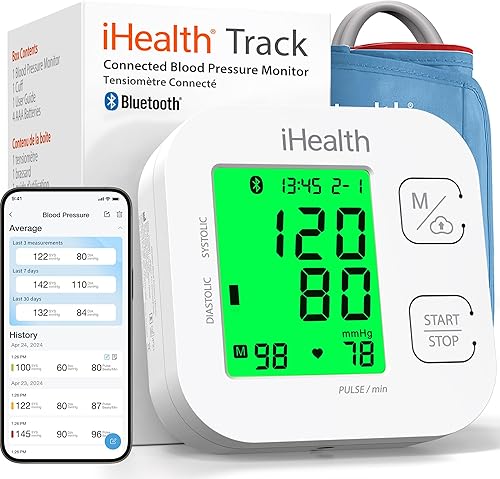
iHealth Track Smart Upper Arm Blood Pressure Monitor
9.7/10 our score
See it on Amazon -
3
 Best for Apple Health reports
Greater Goods Bluetooth Blood Pressure Monitor
9.6/10 our score
See it on Amazon
- 4
 Check it
OMRON Evolv Wireless Blood Pressure Monitor
Best for compact upper-arm monitoring - 5
 Check it
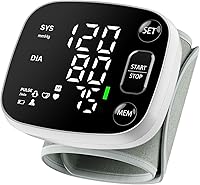
Oklar Wrist Blood Pressure Monitor
Best for portable wrist readings - 6
 Check it
iHealth Neo Wireless Blood Pressure Monitor
Best for a rechargeable upper-arm cuff - 7
 Check it
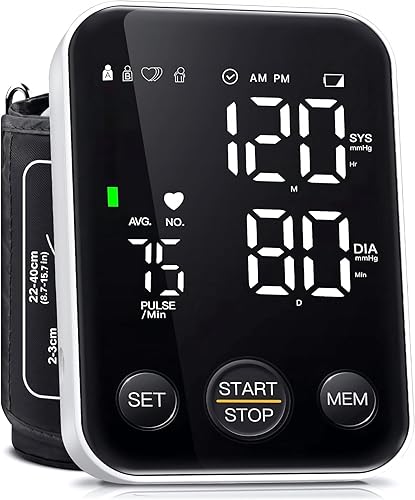
Oklar FDA Cleared Blood Pressure Monitor Upper
Best for large on-device memory - 8
 Check it
Andesfit Upper Arm Blood Pressure Monitor
Best for two cuff sizes - 9
 Check it
Greater Goods Blood Pressure Monitor
Best for extra-large arms
The best blood pressure monitors for Apple Health
The Beurer BM27 is the best overall choice for shared household tracking, while the iHealth Track is a simple option for app users and Greater Goods gives Apple Health users stronger report tools. If ECG recording is also a priority, compare blood pressure monitors with ECG.
The remaining picks are useful when you need a compact design, rechargeable power, extra memory or a larger cuff. Those needs can change the right answer for a single person.
Our score weighs specs, features and buyer feedback against what you're shopping for. We checked Apple Health support, app workflow, cuff fit, memory, power and the practical needs of repeat home readings.
| Product | Best for | Cuff fit | Memory | Power | Our score |
|---|---|---|---|---|---|
| Beurer BM27 Upper Arm Blood Pressure Monitor | shared Apple Health tracking | 8.7–16.5 in upper arms | 120 readings across 4 profiles | 4 included AAA batteries | 9.7 |
| iHealth Track Smart Upper Arm Blood Pressure Monitor | simple Apple Health setup | 8.7–16.5 in upper arms | 99 readings on the monitor | 4 included AAA batteries | 9.7 |
| Greater Goods Bluetooth Blood Pressure Monitor | Apple Health reports | 8.7–16.5 in upper arms | 60 readings per user, 120 total | AAA batteries and AC adapter included | 9.6 |
| OMRON Evolv Wireless Blood Pressure Monitor | compact upper-arm monitoring | 9–17 in arms | Up to 100 readings | 4 included AA batteries | 9.5 |
| Oklar Wrist Blood Pressure Monitor | portable wrist readings | 4.92–8.46 in wrists | 240 readings across 2 users | Built-in rechargeable battery | 9.5 |
| iHealth Neo Wireless Blood Pressure Monitor | a rechargeable upper-arm cuff | 9.4 | |||
| Oklar FDA Cleared Blood Pressure Monitor Upper | large on-device memory | 8.7–15.7 in upper arms | 120 readings per user | 3 AA batteries or Type-C cable | 9.3 |
| Andesfit Upper Arm Blood Pressure Monitor | two cuff sizes | 199 readings for 2 users | 4 included AA batteries or USB Type-C power | 9.2 | |
| Greater Goods Blood Pressure Monitor | extra-large arms | 15.7–20.5 in upper arms | 60 readings per user, 120 total | 4 AAA batteries and USB-C cable included | 9.1 |
Beurer BM27 Upper Arm Blood Pressure Monitor: Best for shared Apple Health tracking
- Apple Health data transfer
- 4 user profiles
- 120 memory sets
- 8.7–16.5 in adjustable cuff
- Irregular heart rate detection
The Beurer BM27 combines an upper-arm cuff with 4 user profiles, 120 memory sets and data transfer to Apple Health through the beurer HealthManager Pro app.
Pros
- Apple Health syncing
- 4 user profiles
- Color-coded risk indicator
Cons
- Requires app setup for Apple Health transfer
- Upper-arm cuff is not designed for wrist measurement
The Beurer BM27 is the best match for a household where more than one person needs a blood pressure record. Its 4 user profiles divide 120 memory sets, so readings don't have to share one undifferentiated device history.
That split matters when readings are checked at different times of day. Each person can build a separate pattern without sorting through someone else's results.
The universal upper-arm cuff fits 8.7–16.5 in arms. It is fully automated and self-inflating, while the color-coded risk indicator makes the result easier to scan on the LCD display.
For daily use, a clear scan matters more than a long list of settings. You can see at a glance whether a reading is high or low against the stated WHO guidelines.
Apple Health transfer works through the free beurer HealthManager Pro app. The monitor also includes irregular heart rate detection, a storage bag and 4 AAA batteries.
That detection is a prompt to pay attention, not a diagnosis. Persistent irregular readings are a reason to talk with a health professional.
The included batteries and storage bag make it ready for home use and travel. Keep the cuff and tube clean, dry and stored without sharp folds.
Choose it when shared profiles and Apple Health syncing matter more than a rechargeable design. The included cuff is a strong fit for many adults, but measure your arm first.
iHealth Track Smart Upper Arm Blood Pressure Monitor: Best for simple Apple Health setup
- iOS app support
- 99 device readings
- Wide-range upper-arm cuff
- Irregular heart rhythm alerts
- Two-button operation
The iHealth Track keeps operation simple with two buttons, a wide-range cuff and an iHealth app for storing unlimited smartphone readings.
Pros
- Large multi-color display
- Simple controls
- iOS and Android app support
Cons
- Apple Health use depends on app setup
- Fewer device memory slots than some picks
The iHealth Track suits readers who want a straightforward upper-arm monitor with large numbers and only two main buttons. Its display uses green, yellow and red color coding to show how a reading compares with its built-in ranges.
That color coding helps with quick checks after a reading. It still does not replace a careful look at the actual systolic and diastolic numbers.
The wide-range cuff fits 8.7–16.5 in upper arms. The monitor stores up to 99 readings, while the free iHealth app stores unlimited readings on a smartphone and supports iOS 12.0 or later.
Device memory is useful when the phone is not in the room. App storage then gives you a longer history to review on screen.
It also displays a warning symbol when it detects a heart rhythm disturbance during measurement. That symbol does not diagnose a heart condition, so discuss persistent concerns with a health professional.
Two-button operation keeps daily setup short. That simplicity suits people who want to measure without learning a menu.
Battery operation with included AAA batteries keeps it ready out of the box. Replace the batteries when the device starts to behave inconsistently.
Pick the Track if simple controls are your priority. For a deeper look at phone-based options, see our best bluetooth blood pressure monitor for iPhone guide.
Greater Goods Bluetooth Blood Pressure Monitor: Best for Apple Health reports
- Apple Health integration
- Balance Health app
- 60 readings per user
- 120 total memory readings
- 8.7–16.5 in cuff
Greater Goods pairs Bluetooth syncing with the Balance Health app, which stores readings, shows trends, exports reports and integrates with Apple Health.
Pros
- Apple Health integration
- App trends and reports
- Battery and AC power
Cons
- Standard cuff range may not fit every arm
- Bluetooth pairing adds a setup step
The Greater Goods Bluetooth monitor is the best fit for Apple Health users who want more than a number saved on a phone. The Balance Health app stores unlimited readings, shows averages and trends, exports reports and supports Apple Health integration.
Trend views are useful when you check readings over days or weeks. Averages can make patterns easier to spot than one isolated result.
Its upper-arm cuff fits 8.7–16.5 in and includes an artery alignment guide. Built-in memory stores 60 readings per user, or 120 total, so you can keep measuring even without Bluetooth connected.
The alignment guide helps with repeat placement. Consistent placement supports more comparable readings from one check to the next.
The large backlit display and one-touch operation help with routine morning or evening checks. The box includes 4 AAA batteries, an AC adapter and a travel case.
That mix of battery and AC power gives you options at home. The travel case helps keep the cuff and unit together when you carry them.
Choose this model if app reports may help you share a record with a doctor. Greater Goods also offers smaller or larger cuff options through support, but confirm the right size before ordering.
OMRON Evolv Wireless Blood Pressure Monitor: Best for compact upper-arm monitoring
- Apple Health compatibility
- OMRON connect app
- 100 stored readings
- 9–17 in attached cuff
- Irregular heartbeat detection
The OMRON Evolv uses a compact one-piece design with an attached cuff, Bluetooth app syncing and Apple Health compatibility.
Pros
- Compact one-piece design
- Apple Health compatibility
- Unlimited app storage
Cons
- Attached cuff offers less flexibility
- Uses AA batteries
The OMRON Evolv is the compact upper-arm pick for readers who want a one-piece design. Its attached ComFit cuff fits 9–17 in arms, and the monitor stores up to 100 readings.
A one-piece design reduces separate parts to pack or lose. That can suit a bedside table, a work bag or a small home space.
Bluetooth connects the Evolv to the free OMRON connect app, which stores unlimited blood pressure readings, tracks trends and shares reports. For a model comparison, see OMRON Platinum vs 10 Series.
The app is compatible with Apple Health and Google Fit. That gives iPhone users a direct path from cuff readings to their health record.
The device also detects irregular heartbeats during routine measurements. Like other alerts, it does not diagnose a heart condition.
Regular checks can show how readings change across a routine. Taking them under similar conditions makes those changes easier to interpret.
It includes 4 AA batteries, an instruction manual and a quick start guide. Keeping the guide nearby helps with correct cuff placement.
Choose Evolv if portability and fewer separate pieces matter. If you specifically want to compare other OMRON models, see our best Omron Bluetooth blood pressure monitor roundup.
Oklar Wrist Blood Pressure Monitor: Best for portable wrist readings
- FDA cleared
- 240 readings for 2 users
- Rechargeable battery
- Voice broadcast
- 4.92–8.46 in wrist cuff
The Oklar wrist monitor is the portable choice, with dual-user memory, a rechargeable battery, voice broadcast and a Type-C cable.
Pros
- Wrist-sized portability
- Large LED display
- Voice broadcast
Cons
- Apple Health compatibility is not stated
- Wrist position requires careful setup
The Oklar wrist monitor is the most portable option here, but Apple Health compatibility is not stated in the supplied product data. Its value is portability, with a built-in rechargeable battery, a Type-C cable and a 3.59 oz device weight.
That small size suits travel, a desk drawer or a bag carried every day. It also means you need to be careful with wrist position each time.
Dual-user memory stores up to 240 readings, and the voice broadcast can help people who have trouble reading a screen. The adjustable wrist cuff fits 4.92–8.46 in wrists.
Voice feedback can make a reading easier to follow in low light. You can adjust the volume or turn the sound off with the SET and MEM buttons.
The device takes about 35 seconds to measure and turns off after 60 seconds of inactivity. For a consistent reading, sit with your wrist at heart level, stay still and use the same wrist each time.
Avoid eating, smoking, caffeine, bathing or exertion for at least 30 minutes before a reading. Sit quietly for about 5 minutes first where you can.
Charging uses a Type-C cable, and the charging adapter is not included. A charger with 100-240V input and 5V 1A output is compatible.
Choose it when carrying a wrist monitor matters more than confirmed Apple Health syncing. Check app compatibility before buying if automatic Apple Health records are essential.
iHealth Neo Wireless Blood Pressure Monitor: Best for a rechargeable upper-arm cuff
- MyVitals app syncing
- 950mAh rechargeable battery
- Up to 130 measurements per charge
- One-button operation
- 30–60 second readings
The iHealth Neo offers a thin upper-arm design, one-button operation and a rechargeable battery rated for up to 130 measurements per charge.
Pros
- Rechargeable battery
- Unlimited app storage
- CSV, XLS and PDF exports
Cons
- Apple Health compatibility is not stated
- Cuff dimensions are not stated in the data
The iHealth Neo suits readers who want a rechargeable upper-arm monitor with a thin design. Its 950mAh rechargeable lithium battery supports up to 130 measurements on a full charge.
Rechargeable power removes the need to buy replacement batteries for routine checks. That suits people who prefer a single cable for charging.
One-button operation starts the measurement, and the large display shows results in about 30 to 60 seconds. Bluetooth 4.0 connects with the MyVitals App, which stores unlimited data and exports records to CSV, XLS or PDF.
Exports can help when you want a file to share or keep outside the app. That is different from automatic syncing into Apple Health.
The product data here does not state Apple Health compatibility, so treat it as an app-focused option rather than a confirmed Apple Health cuff. That distinction matters if you want readings to appear automatically in Apple's health record.
Thin and light construction makes it easier to carry between rooms or in a bag. It still needs the same careful cuff placement as other upper-arm models.
Keep the device charged and follow the manual for correct use. A low battery can affect the measurement process.
Choose Neo for rechargeable power and exportable reports. Choose a confirmed Apple Health model instead if Apple Health is the main reason you are shopping.
Oklar FDA Cleared Blood Pressure Monitor Upper: Best for large on-device memory
- 240 readings for 2 users
- One-button operation
- Large LED display
- 8.7–15.7 in upper-arm cuff
- Battery or Type-C power
The Oklar upper-arm model stores 240 readings for 2 users and can run from 3 AA batteries or a Type-C cable without charging the batteries.
Pros
- 240 total memory readings
- One-button design
- Battery or cable power
Cons
- Apple Health compatibility is not stated
- Batteries are not included
The Oklar FDA Cleared upper-arm monitor is best for readers who want substantial device memory without relying on an app. It stores 120 readings per user for 2 users, or 240 readings total.
That capacity gives two people room to check readings over time. It also helps when a phone is charged elsewhere or not paired.
The one-button design starts a reading, while the large backlit LED display shows results within about 1 minute. The cuff fits 8.7–15.7 in upper arms.
Simple operation suits quick morning or evening checks. The large display helps in dim light and for readers who prefer clear digits.
Power comes from 3 AA batteries or the included Type-C cable. The cable supplies power only, so it does not recharge batteries, and the batteries are not included.
That dual power choice can be handy at home. Batteries offer portability, while cable power avoids battery use at a fixed spot.
For accurate readings, sit comfortably with your feet flat and extend your arm on a desk. Stay still and silent during measurement, and wait at least 3 minutes between measurements.
Apple Health compatibility is not stated here. Choose this model for local two-user history and flexible power, not for confirmed automatic Apple Health transfer.
Andesfit Upper Arm Blood Pressure Monitor: Best for two cuff sizes
- Apple Health syncing
- Standard and extra-large cuffs
- 199 readings for 2 users
- 6 in color LED display
- USB Type-C power
Andesfit is the strongest fit-focused option because it includes standard and extra-large cuffs, Bluetooth syncing with Apple Health and 199 readings for each of 2 users.
Pros
- Two cuff sizes included
- Apple Health syncing
- Large color display
Cons
- USB Type-C is power supply, not battery charging
- Heavier than the other listed monitors
The Andesfit monitor is the best choice when one household needs more than one cuff size. It includes a standard 17 in cuff and an extra-large 21 in cuff, covering arm circumferences from 9–17 in according to the product details.
Two cuffs can solve a common home problem. Different adults may need different fits on the same monitor.
Bluetooth syncs with Apple Health and Google Fit through the free ANDESFITBP app. The monitor stores 199 readings for each of 2 users, while the app offers unlimited storage based on your smartphone.
The free app does not require a login or personal data input according to the product details. That may suit people who prefer a simpler privacy setup.
A 6 in color LED display uses large numbers and color coding. The monitor can run on 4 AA batteries or USB Type-C power, but USB power does not charge the batteries.
Large numbers help seniors and anyone reading at arm's length. Color coding gives a quick sense of the WHO range for a result.
Choose Andesfit if fit is difficult to solve with one standard cuff. Its 1.7 lb weight is higher than several other picks, so it is better suited to a stable home location than frequent carrying.
Greater Goods Blood Pressure Monitor: Best for extra-large arms
- 15.7–20.5 in XL cuff
- Balance Health app
- 120 readings for 2 users
- Apple Health app integration
- USB-C cable and travel case
This Greater Goods model is made for larger arms, with an extra-large 15.7–20.5 in cuff, Apple Health integration and two-user memory.
Pros
- Extra-large cuff
- Apple Health integration
- Battery and USB-C power
Cons
- Standard cuff is not included
- The XL cuff may be too large for smaller arms
The Greater Goods XL model is the right choice for larger arms that need a 15.7–20.5 in cuff. The extra-large cuff includes an artery alignment guide, while the standard cuff is not included.
A cuff that is too small can make readings harder to trust. Measuring your arm first helps you avoid that problem.
Bluetooth connects the monitor to the Balance Health app for saved readings, charts and reports. The app integrates with Apple Health, and the monitor stores 60 readings per user, or 120 total for 2 users.
Charts help you review readings over time on a phone. Reports give you a clearer way to share a record when needed.
The large backlit display shows bold numbers and a color-coded range indicator. The box includes 4 AAA batteries, a USB-C power cable and a travel case.
One-touch operation keeps a routine check short. Press Start once and the monitor inflates automatically.
The monitor also alerts you if an irregular heartbeat pattern is detected. That alert does not diagnose a heart condition.
Choose it when a standard cuff would be too small. If your arm is below the XL range, select a model with a smaller cuff instead of trying to make this cuff work.
How do blood pressure cuffs work with Apple Health?
A blood pressure cuff works with Apple Health through its companion app. The cuff sends a reading to the app over Bluetooth, and the app may then write that reading to Apple Health after you grant permission.
That chain has three steps to check. The cuff must measure, the app must receive the reading, and Apple Health must be allowed to store it.
Beurer, Greater Goods, OMRON and Andesfit state Apple Health support in the product information used for this roundup. Their apps are the route for getting readings into Apple Health.
The iHealth Track supports an iOS app, but check the current app permissions during setup because app features can change. A stated app link is not the same as a confirmed Apple Health write in every case.
The Oklar wrist monitor, Oklar upper-arm monitor and iHealth Neo do not state Apple Health compatibility in the data. They may still be useful with their own memory or app tools, but do not assume Apple Health transfer without confirming it.
Device memory can still be valuable without Apple Health. Readings stored on the cuff can be reviewed later or noted by hand.
For daily use, consistency matters more than a single perfect reading. Use the same arm, sit the same way, and avoid recent exercise, caffeine or stress where you can.
Take a test reading after pairing and check where it appears. That short check tells you whether the app and Apple Health connection are working.
For a wider iPhone-focused comparison, read best Bluetooth blood pressure monitors for iPhone. If you are comparing heart-monitoring apps as well, our guide to What Is the Best ECG App for iPhone? covers a different type of health record, and blood pressure and ECG data should not be confused with each other.
Keep ownership of the record in mind as well. You may want to know what is stored on the device, in the app, and in Apple Health, since a monitor that fits your routine is more likely to be used often.
How should you set up an Apple Health blood pressure cuff?
Start by measuring your arm or wrist and choosing a cuff that fits. Sit quietly with your feet flat, keep your arm supported at heart level, stay silent and use the same arm or wrist for repeat readings.
Place the cuff over bare skin and follow the printed guide for artery alignment. A snug fit that still allows a finger underneath is the usual starting point.
Avoid taking a reading immediately after exercise, caffeine, smoking, bathing or a stressful activity. Waiting quietly before measurement can make your routine more consistent.
Give yourself about 5 minutes of quiet sitting before your first reading of the day. That pause can make morning and evening checks easier to compare.
Pair the monitor with its app, allow the needed Apple Health permissions and take one test reading. Check that the result appears in Apple Health before relying on automatic transfers.
If the test reading does not appear, check that Bluetooth is on and that the app has permission to write to Apple Health. Permission names can vary by app and iPhone version.
Use the device memory when your phone is not nearby. Beurer stores 120 readings across 4 profiles, while the Greater Goods XL stores 120 readings across 2 users, so the best choice depends partly on how many people share the monitor.
Sync when you are back with your phone to keep the app record complete. Clear trends are easier to review than scattered single readings.
Store the cuff and unit in a dry place and keep the tube free of sharp bends. Replace batteries when the device shows signs of low power.
Write down anything that was different about a reading, such as poor sleep or recent activity. That note can help you and a health professional interpret the result.
Bring questions about persistent high, low or irregular readings to a health professional. Home readings are information, not a diagnosis.
Which Apple Health blood pressure monitor should you choose?
Choose the Beurer BM27 if you want the best balance of Apple Health transfer, upper-arm measurement, 4 user profiles and 120 memory sets. It suits shared use without forcing everyone into one history.
Choose the iHealth Track if large numbers and simple two-button operation matter most. It keeps routine checks short and easy to read.
Pick Greater Goods Bluetooth for trend views, exports and reports. Choose OMRON Evolv for a compact one-piece upper-arm design, or Andesfit when two cuff sizes can solve a fit problem.
Those choices cover the main Apple Health paths in this group. The right one depends on whether you value shared profiles, reports, portability or cuff options.
The Oklar wrist model is the portable choice, while the iHealth Neo is the rechargeable choice. For larger arms, the Greater Goods XL offers the clearest stated cuff range in this group.
Portability and rechargeable power are useful, but neither confirms Apple Health transfer in the data here. Confirm that point before buying if it is essential.
The Oklar upper-arm model is the memory-heavy choice for two users. It stores 240 readings on the device without relying on an app.
Measure your arm or wrist before you order any of these models. A correct cuff fit supports more consistent readings and easier daily use.
If you want to compare Apple Health with ECG tracking, see Best ECG Monitor For Apple Health Integration. Blood pressure and ECG data serve different purposes, so use each device according to its instructions and ask a health professional about readings that concern you.
Our top 3 picks at a glance
-
1
Best for shared Apple Health tracking
Beurer BM27 Upper Arm Blood Pressure Monitor
9.7/10 our score
See it on Amazon -
2
Best for simple Apple Health setup
iHealth Track Smart Upper Arm Blood Pressure Monitor
9.7/10 our score
See it on Amazon -
3
Best for Apple Health reports
Greater Goods Bluetooth Blood Pressure Monitor
9.6/10 our score
See it on Amazon
Frequently asked questions
What is the best blood pressure monitor for Apple Health?
The Beurer BM27 is the best blood pressure monitor for Apple Health in this comparison. It combines an upper-arm cuff, 4 user profiles, 120 memory sets and data transfer through the beurer HealthManager Pro app.
Choose Andesfit if you need two cuff sizes, or Greater Goods if app reports and trend views matter most.
Do all Bluetooth blood pressure monitors work with Apple Health?
No. Bluetooth alone does not confirm Apple Health support.
The app must be able to send blood pressure data to Apple Health, so check the monitor's app compatibility before buying.
In this group, Beurer, Greater Goods, OMRON, Andesfit and the listed iHealth Track app support Apple-connected tracking, while Apple Health support is not stated for the Oklar and iHealth Neo data here.
Is an upper-arm or wrist blood pressure cuff better for Apple Health?
Apple Health compatibility depends on the app, not simply on whether the cuff goes on your arm or wrist. Upper-arm monitors are the better fit for this roundup because most Apple Health-compatible picks here use upper-arm cuffs.
A wrist model can be easier to carry, but careful wrist positioning is essential for consistent readings.
How do I connect a blood pressure cuff to Apple Health?
Install the monitor's compatible app, pair the cuff by following its setup instructions, then allow the app to write blood pressure data to Apple Health. The exact permission names can vary by app and iPhone version.
Take a test reading and check that it appears in the Apple Health data categories you enabled.
What cuff size should I choose?
Choose a cuff that covers your upper-arm circumference or wrist circumference. The standard upper-arm cuffs here range from about 8.7–16.5 in, while Andesfit includes a 21 in extra-large cuff and Greater Goods offers a 15.7–20.5 in XL cuff.
Measure before ordering because a poor fit can make setup and repeat readings harder.