9 Best Blood Pressure Monitors for iPhone (November 2026)
The best blood pressure monitors compatible with iPhone include the iHealth Track Smart Upper Arm Blood Pressure for simple iPhone tracking, the Greater Goods Bluetooth Blood Pressure Monitor for Apple Health and reports, and the OMRON Evolv Wireless Blood Pressure Monitor for unlimited OMRON app history.
On this page (4 sections)
The best blood pressure monitor for iPhone is the iHealth Track Smart Upper Arm Blood Pressure Monitor because it combines a free iOS app, a wide-range cuff, two-button operation and storage for 99 readings.
Greater Goods is the better choice when Apple Health and report sharing matter, while OMRON offers unlimited history in its app.
A useful iPhone monitor should do more than show a number. The key combination is a correctly sized cuff, readable results, a companion app and a clear way to keep or share readings.
Think about how you will use the record after the cuff comes off. Some people want a quick number at home, while others want readings saved on a phone, checked as a trend and shown to a clinician.
The right pick depends on that second step as much as the measurement itself. Cuff fit comes first, because no app can fix a cuff that is too small or too large.
Measure around your upper arm before you choose, then compare it with the stated range for each model. Use the same arm and similar conditions for regular checks.
A readable display helps day to day, especially in low light. Color coding can make a result easier to scan, but it should not replace understanding what the numbers mean for you.
Phone syncing adds value when it saves time and keeps a longer history in one place. Look for a named iOS app rather than a vague Bluetooth mention, and check any stated iOS or Bluetooth requirements.
Memory on the monitor is still useful as a backup when Bluetooth is off or a phone is not nearby. Power choice also affects daily ease, since batteries need replacing while a cable option needs a suitable source.
For many households, simple controls matter more than a long feature list. A clear start control can make repeat readings less stressful.
If two people share a device, separate user memory can prevent readings from mixing. Travel size and a case can also matter if you measure at work or while travelling.
For options across phone platforms, see blood pressure monitors that connect to a phone. If you want broader buying advice, start with our guide to the best blood pressure monitor.
For a deeper look at app-enabled home devices, see the best bluetooth home blood pressure monitor. That broader guide can help you compare upper-arm and wrist designs before you narrow the list.
Upper-arm models are common for home routines because cuff placement is familiar and the fit range is usually wider. Wrist models can be easier to carry, but they need careful positioning at heart level for each reading.
This roundup balances clear iPhone app support against local memory, portability and cuff size. The iHealth Track leads for simple iPhone tracking, Greater Goods leads for Apple Health and reports, and OMRON leads for a compact one-piece design with unlimited app history.
Readings also need context, so note the time, arm used and conditions when you review trends. Blood pressure can change with activity, posture, stress and time of day.
An irregular heartbeat alert is a prompt to pay attention, not a diagnosis on its own. If alerts persist or worry you, a healthcare professional can help you interpret the pattern.
Start with cuff size, then decide how important phone storage and sharing are to you. That order keeps the choice practical and avoids paying for syncing features you may never use.
Our picks at a glance
-
1
 Best for simple iPhone tracking
iHealth Track Smart Upper Arm Blood Pressure
9.7/10 our score
See it on Amazon -
2
 Best for Apple Health and reports
Greater Goods Bluetooth Blood Pressure Monitor
9.6/10 our score
See it on Amazon -
3
 Best for unlimited OMRON app history
OMRON Evolv Wireless Blood Pressure Monitor
9.5/10 our score
See it on Amazon
- 4
 Check it
Oklar Wrist Blood Pressure Monitor
Best for portable wrist use - 5
 Check it
Etekcity Bluetooth Blood Pressure Monitor for Home
Best for VeSync app tracking - 6
 Check it
Oklar FDA Cleared Blood Pressure Monitor Upper
Best for large local memory - 7
 Check it
Sinocare Blood Pressure Monitor
Best for two-user upper-arm tracking - 8
 Check it
Greater Goods Blood Pressure Monitor
Best for extra-large arms - 9
 Best for large display and memoryCheck it
The best blood pressure monitors for iPhone
The best blood pressure monitor for iPhone depends on how you want to save readings, where you will measure and whether the cuff fits your arm.
The first three picks offer the clearest iPhone data paths, while the remaining models focus more on local memory, portability or cuff size.
Start with the cuff range because a correct physical fit shapes every reading that follows.
Then consider whether you want automatic phone records, Apple Health support, report sharing, or simply reliable storage on the device.
If you mainly measure at home, a travel case or rechargeable battery may matter less than a clear display and simple controls.
If you travel often, size, weight and power options become more important.
Households sharing one monitor should look for separate user memory so trends stay easy to review.
For iPhone users, a named iOS app is the key distinction between phone syncing and local-only records.
Models without an identified iPhone app can still suit people who prefer manual review or do not need phone history.
Keep the same arm, posture and quiet routine in mind as you compare the picks below.
iHealth Track Smart Upper Arm Blood Pressure: Best for simple iPhone tracking
- Free iOS app
- Wide-range 8.7–16.5 in cuff
- Stores 99 readings on the monitor
- Heart rhythm disturbance alerts
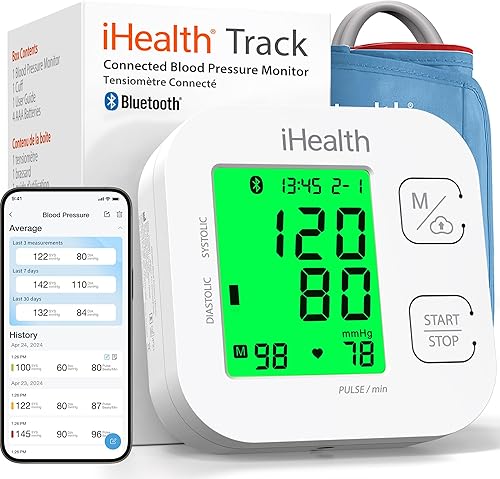
The iHealth Track combines a wide-range upper-arm cuff with a free iOS app and simple two-button operation. It suits iPhone owners who want phone tracking without giving up on-device memory.
Pros
- Free iOS app
- Wide-range cuff
- Large multi-color display
Cons
- Uses AAA batteries
- App requires iOS 12.0 or later and Bluetooth 4.0 or later
The iHealth Track is the strongest overall choice for a blood pressure monitor iphone search because iOS support is clearly identified and the controls stay simple.
Its free iOS app works with iOS 12.0 or later and requires Bluetooth 4.0 or later. That clear requirement helps iPhone owners check compatibility before buying.
The upper-arm cuff fits 8.7–16.5 in, which covers a wide range of adult arms. Measure your arm first, since even a wide stated range has limits.
On the monitor, you can store up to 99 readings. The smartphone app supports unlimited readings, giving you a backup on the device and a longer record on the phone.
The display uses large numbers and green, yellow and red color coding. The colors give a quick visual cue, while the large digits help in everyday light.
The monitor also identifies heart rhythm disturbances during a measurement and shows a warning symbol when one is detected. That symbol does not diagnose a heart condition.
Two-button operation keeps setup simple. The device is described as not needing calibration, which may suit a straightforward home routine.
Four AAA batteries, the wide-range cuff and the instruction manual are included. Read the manual before first use and keep measurements consistent by using the same arm and similar conditions.
Greater Goods Bluetooth Blood Pressure Monitor: Best for Apple Health and reports
- Balance Health app for iOS
- Apple Health integration
- Unlimited app storage
- Two-user memory with 120 total readings
Greater Goods gives iPhone users app storage, trend views, report sharing and Apple Health integration. Its upper-arm cuff, travel case and two power options also suit regular home monitoring.
Pros
- Apple Health integration
- AC adapter included
- Travel case included
Cons
- Standard cuff range may not fit every arm
- App pairing is needed for unlimited phone storage
Greater Goods is the best blood pressure monitor iphone compatible choice when Apple Health, trends and report sharing are central to your routine. Its Balance Health app works on iOS and stores unlimited readings, averages and trends.
The app can export reports and share results with a doctor. The monitor also stores 60 readings per user, or 120 total, so you can take readings without Bluetooth and sync later.
Its upper-arm cuff fits 8.7–16.5 in and includes an artery alignment guide. A large backlit display, one-touch operation and irregular heartbeat detection make the routine easier to follow.
The box includes the monitor, cuff, travel case, four AAA batteries and an AC adapter. For other models with an included adapter, see blood pressure monitors with power adapters.
If the standard cuff does not fit, Greater Goods identifies smaller and larger cuff options through its support team.
OMRON Evolv Wireless Blood Pressure Monitor: Best for unlimited OMRON app history
- OMRON connect app for iPhone
- Apple Health and Google Fit compatibility
- Stores 100 readings
- One-piece design
The OMRON Evolv pairs a one-piece upper-arm design with the OMRON connect app, unlimited app storage and Apple Health compatibility. It is a strong fit for iPhone users who want a compact monitor from a familiar app ecosystem.
Pros
- Apple Health compatibility
- Unlimited app storage
- Compact one-piece design
Cons
- Cuff range starts at 9 in
- Uses AA batteries
OMRON Evolv suits iPhone users who want a compact one-piece monitor and a dedicated app with unlimited storage.
The OMRON connect app works through Bluetooth and is compatible with Apple Health and Google Fit. That combination can suit people who keep other health data in Apple Health and want blood pressure in the same place.
The upper-arm cuff fits 9–17 in. The lower limit starts higher than some rivals, so measure your arm before choosing it.
The monitor stores up to 100 readings, while the app stores unlimited readings, tracks trends and supports report sharing. This gives you a short-term backup on the device and a longer history in the app.
Its one-piece design keeps the monitor and ComFit cuff together. That can reduce loose parts and make storage simpler in a drawer, bag or bedside table.
The controls are described as simple and intuitive. Irregular heartbeat detection is included during routine measurement, but the alert is not a diagnosis on its own.
The box includes the monitor with attached cuff, an instruction manual, a quick start guide and four AA batteries.
Oklar Wrist Blood Pressure Monitor: Best for portable wrist use
- Stores 240 readings for two users
- Rechargeable built-in battery
- Voice broadcast
- 35-second measurements
The Oklar wrist monitor is the portable choice in this group, with a rechargeable battery, voice broadcast and memory for two users. Its data does not identify an iPhone app, so choose it for wrist convenience rather than phone syncing.
Pros
- Rechargeable battery
- Voice broadcast
- Two-user memory
Cons
- No iPhone app is identified in the available information
- Wrist readings require careful positioning
The Oklar Wrist Blood Pressure Monitor is the portability pick, not the clearest blood pressure monitor on iphone choice. Its available information describes the wrist device, but does not identify an iPhone app or Bluetooth syncing.
It stores up to 240 readings for two users and gives a result in about 35 seconds. The built-in rechargeable battery uses a Type-C cable, and the charging adapter is not included.
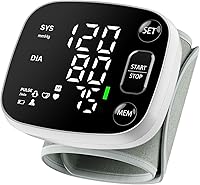
A voice broadcast can help users who find small screens difficult to read. You can adjust or turn off the volume with the SET and MEM buttons, and the large LED display is backlit.
The adjustable wrist cuff fits 4.92–8.46 in. Wrist monitors need careful positioning, so keep the wrist at heart level, stay still and silent, and use the same wrist for comparable readings.
For a wrist model with phone syncing, see Bluetooth wrist blood pressure monitors.
Etekcity Bluetooth Blood Pressure Monitor for Home: Best for VeSync app tracking
- Free iOS app
- Apple Health syncing
- Stores 90 readings per user
- 8.6–16.5 in cuff
Etekcity gives iPhone users Bluetooth syncing through its VeSync app, Apple Health support and memory for 90 readings per user. The wide upper-arm cuff works for many standard and larger adult arms.
Pros
- Apple Health support
- Free iOS app
- Wide-range cuff
Cons
- Uses AAA batteries
- Two-user memory details are not specified
Etekcity is a useful blood pressure monitor iphone compatible option for people who want Apple Health support through a free iOS app.
Its VeSync app stores unlimited records, while the monitor stores 90 readings per user.
That local capacity can cover regular checks between syncs.
The upper-arm cuff fits 8.6–16.5 in.
That range is close to the iHealth and Greater Goods options, so measure your arm rather than assuming a wide cuff will fit every user.
Etekcity identifies Bluetooth syncing, automatic tracking, Apple Health support and irregular heartbeat alerts.
Automatic tracking may help if you prefer readings to move to the app without manual entry.
Its LCD uses color-coded indicators, which can make the displayed range easier to scan.
The display is described as clear, which matters when you check results without your glasses nearby.
Four AAA batteries are included.
Battery power can be convenient for home use, but you will need replacements over time.
The monitor is described as FDA-cleared and FCC-certified, with pressure and pulse accuracy claims in the product information.
Those claims are not a substitute for medical advice or a clinician's interpretation of your readings.
Use similar conditions for repeat checks so trends are easier to compare.
Support your arm, stay still and silent, and note the time of each reading.
Oklar FDA Cleared Blood Pressure Monitor Upper: Best for large local memory
- Stores 240 readings for two users
- One-button operation
- Large backlit LED display
- Battery or Type-C power
This Oklar upper-arm model focuses on simple controls and generous on-device memory, with 120 readings per user. The available information does not identify an iPhone app, so it is better for local tracking than automatic phone records.
Pros
- 240 total stored readings
- One-button operation
- Type-C power option
Cons
- Not rechargeable
- No iPhone app is identified in the available information
This Oklar upper-arm model suits users who want a large local memory and one-button operation.
Its product information does not identify an iPhone app, so choose it for stored readings rather than automatic phone records.
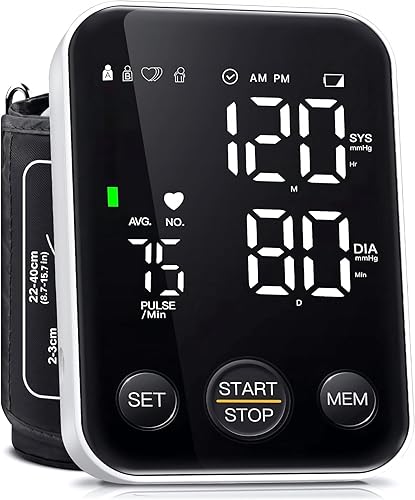
It stores 120 readings per user, or 240 total, and uses a backlit LED display. Two-user storage can suit a household that wants separate histories on one device.
The cuff fits upper arms from 8.7–15.7 in, which is narrower at the top than several other upper-arm picks here. Measure your arm carefully, especially if you are near the upper end of the range.
The monitor can use 3 AA batteries or the included Type-C cable. It is not rechargeable, and the cable powers the monitor only.
That means the Type-C option is a power source, not a way to charge batteries inside the device. Batteries are not included, so you will need to supply 3 AA batteries if you prefer battery use.
The one-button layout may be useful for a simple routine. Fewer controls can make the start step clearer for occasional users.
For repeat measurements, sit with feet flat, keep the arm supported at heart level and wait at least three minutes between readings.
Sinocare Blood Pressure Monitor: Best for two-user upper-arm tracking
- Two user profiles
- 99 readings per user
- Irregular heartbeat alerts
- 8.6–16.5 in cuff
Sinocare suits two people who want separate upper-arm profiles and 99 stored readings per user. It has a Type-C power port, but the available information does not identify iPhone app compatibility.
Pros
- Two user profiles
- Posture detection
- Color-coded indicators
Cons
- No iPhone app is identified in the available information
- Type-C cable is not included
Sinocare is a practical two-user upper-arm choice for households that want separate profiles and local history.
Each user can store up to 99 readings, and the cuff fits arms from 8.6–16.5 in.
Separate profiles help two people review their own trends without mixing results.
The monitor uses one-button operation and a large 3.6 in screen.
A large screen can help when you want to read the result quickly after inflation ends.
It also identifies incorrect posture, color-codes blood pressure levels and alerts you to irregular heartbeats during measurement.
Posture detection may prompt you to adjust before relying on a reading.
Color coding gives a quick visual cue, while the alert is a prompt for attention rather than a diagnosis.
Power comes from four AAA batteries or a Type-C power connection.
The Type-C cable is not included.
Four AAA batteries are included, so battery use can start without extra purchases.
The available information does not identify an iPhone app, so this model does not lead the list for phone syncing.
Choose it if local two-user memory matters more than automatic phone records.
Use the same arm and similar conditions each time.
Vigorous exercise, emotional changes and poor cuff placement can affect readings, so allow a quiet period before measuring.
Greater Goods Blood Pressure Monitor: Best for extra-large arms
- 15.7–20.5 in XL cuff
- Balance Health app with Bluetooth
- Two-user memory
- USB-C power cable included
This Greater Goods model is the clear fit choice for upper arms from 15.7 to 20.5 in. Bluetooth connects it to the Balance Health app for saved readings, trends and reports, while the XL cuff avoids relying on a standard size.
Pros
- XL cuff for large arms
- Bluetooth app tracking
- Travel case included
Cons
- Standard cuff is not included
- On-device memory is 60 readings per user
The Greater Goods XL model is the best blood pressure monitor for iPhone here when standard cuffs are too small.
Its extra-large cuff fits 15.7–20.5 in upper arms and includes an artery alignment guide.
The guide can help with placement, which is useful when a larger cuff feels less familiar.
Bluetooth connects the monitor to the Balance Health app, where you can save readings, view long-term trends and share reports.
The available information does not name Apple Health integration for this XL model, so confirm that feature if it is essential to your workflow.
That check is important because standard Greater Goods models may have different app features.
Two-user memory stores 60 readings per user, or 120 total.
This can suit two adults who share a device and want separate local histories.
The display is backlit, and an irregular heartbeat alert appears when an irregular pulse pattern is detected during measurement.
The alert should be treated as a prompt to seek professional advice if it persists or concerns you.
The kit includes four AAA batteries, a USB-C power cable and a travel case.
The standard-size cuff is not included, so this is a focused choice for larger arms rather than a general family kit.
Measure your arm to confirm it falls within 15.7–20.5 in.
Invaxe Blood Pressure Machine: Best for large display and memory
- 4.5 in backlit screen
- 199 readings per user
- Six color pressure levels
- USB cable and batteries included
Invaxe offers the largest stated display and 199 stored readings per user, plus a portable bag and dual power. Its available information does not identify an iPhone app, so it is aimed at clear local records.
Pros
- 4.5 in backlit display
- 199 readings per user
- Portable bag included
Cons
- No iPhone app is identified in the available information
- AC adapter is not included
Invaxe is the local-memory choice for users who value a large screen and long history more than phone syncing.
Its available information does not identify an iPhone app or Bluetooth connection.
That makes it a better fit for people who want to review readings on the device itself.
The 4.5 in backlit LCD uses a 45-degree viewing angle and large buttons.
The angled design may help when you sit at a table and look down at the monitor.
Each of two users can store 199 readings, and the monitor calculates the average of the last three measurements.
That average can smooth out a single unusual value, though the underlying readings still matter.
Its upper-arm cuff fits 9–17 in.
The monitor also identifies irregular heartbeat detection, position reminders and six color pressure levels.
These features can make the result easier to read, but they do not diagnose a condition.
Position reminders may help you adjust before starting a new reading.
The package includes the monitor, cuff, four AAA batteries, a USB cable, a velvet bag and a user manual.
An AC adapter is not included.
The dual-power design works with batteries or the USB cable.
That flexibility can suit home use, office use or travel when a suitable power source is available.
How to choose a blood pressure monitor compatible with iPhone
Choose a blood pressure monitor compatible with iPhone by checking four things: iOS support, app storage, cuff fit and the way you want to share readings. A named iOS app is more useful than a general Bluetooth mention because the app organizes the measurements.
Does the blood pressure monitor have an iPhone app?
The clearest iPhone choices here are iHealth, Greater Goods, OMRON and Etekcity. Their information identifies iOS apps, while Greater Goods, OMRON and Etekcity also identify Apple Health support.
That group is the safest starting point if phone records are a priority. App features differ in how you review progress over time.
iHealth emphasizes unlimited smartphone readings, Greater Goods adds averages, trends and report export, OMRON provides unlimited app history and Etekcity stores records in VeSync. Unlimited app storage helps if you measure often and do not want to delete old readings.
Trend views and averages can make patterns easier to see than a list of single numbers. Report export or sharing can help when you want to show a clinician a summary.
Before you buy, check the iOS version and Bluetooth requirements for the app you plan to use. iHealth states iOS 12.0 or later and Bluetooth 4.0 or later in its product information.
A model without an identified iPhone app may still work well for local tracking, but it will not match that workflow. If you already use Apple Health, compare the exact app connection before buying.
Our guide to the best blood pressure monitor for Apple Health covers that use case in more detail. It can help you decide whether Health integration matters more than local memory or cuff range.
Also compare cuff ranges side by side, since app features cannot correct a poor fit. Measure your upper arm and use the same arm for regular checks.
What cuff size do you need?
Cuff fit matters because a phone connection cannot correct a poor physical fit. Measure around your upper arm and compare that number with the stated cuff range.
Most standard picks here cover roughly 8.6–17 in. The Greater Goods XL model is made for 15.7–20.5 in arms, while the Oklar wrist model uses a 4.92–8.46 in wrist cuff.
A cuff should be snug but comfortable, with room for a finger underneath. Use the alignment guide when one is included, and use the same arm for regular tracking.
Is upper-arm or wrist better?
Upper-arm monitors make up most of this roundup because they offer broader cuff ranges and familiar home-monitoring routines. The Oklar wrist model is lighter and rechargeable, but wrist position needs close attention during each reading.
Choose a wrist model if portability and charging matter most and you can keep the wrist at heart level. Choose an upper-arm model if cuff fit, app support and a stable repeatable routine are your priorities.
How do you get more consistent readings?
Avoid eating, smoking, caffeine, bathing or exercise for at least 30 minutes before measuring. Sit quietly for about five minutes, keep both feet flat, support the arm and avoid talking during the reading.
Take readings under similar conditions and wait at least three minutes between repeated measurements. Blood pressure can change with activity, posture and stress, so one number does not show the whole pattern.
An irregular heartbeat indicator does not diagnose a heart condition. If irregular readings persist or concern you, speak with a healthcare professional.
Can you use Garmin Connect for blood pressure readings?
Garmin Connect is not identified as a companion app for the monitors in this roundup.
If you want to record readings alongside Garmin data, review our guide to Garmin Connect blood pressure before choosing an app workflow. That guide can help you check whether a separate record system fits your routine.
It is worth deciding in advance whether you want blood pressure stored only in a monitor app, in Apple Health or in a wider fitness platform. Mixing systems can create duplicate records if you do not choose one main place for trends.
For iPhone users, the confirmed iOS apps in this roundup are the clearer starting point. Garmin may still be useful for activity or sleep data, but it should not be assumed to receive these blood pressure readings.
Check the app permissions during setup if you enable any Health syncing. Then confirm that new readings appear in the correct category and under the right person.
For heart rhythm information rather than blood pressure, compare an ECG monitor compatible with both iPhone and Android or see our guide to the best ECG monitor for iPhone. Those devices answer a different question from a blood pressure monitor.
An irregular heartbeat alert on a blood pressure monitor is not the same as an ECG recording. If rhythm concerns persist, a healthcare professional can advise on the right test.
Which blood pressure monitor for iPhone should you choose?
Pick the iHealth Track if you want the clearest mix of iPhone support, wide cuff fit, simple controls and local memory.
Choose Greater Goods Bluetooth if Apple Health, trends and report sharing are central, or choose OMRON Evolv for its one-piece design and unlimited OMRON app history.
Choose Etekcity for VeSync and Apple Health support, the Greater Goods XL for 15.7–20.5 in arms, or the Oklar wrist model for rechargeable portability.
If iPhone syncing is not required, Oklar, Sinocare and Invaxe offer larger local-memory options.
Those local options can suit people who prefer to review readings on the monitor.
The Oklar upper-arm model stores 240 total readings, Sinocare offers two profiles, and Invaxe has a large display with 199 readings per user.
Before you decide, measure your arm and compare it with the cuff range.
That single step can prevent a poor fit that no app feature can fix.
Then decide how you want to keep records after each measurement.
If automatic phone syncing matters, stay with iHealth, Greater Goods, OMRON or Etekcity.
If portability matters most, the wrist model is lighter and rechargeable, but positioning needs care.
Use the same arm, a supported posture and similar conditions for repeat readings.
That routine makes trends easier to interpret over time.
Our top 3 picks at a glance
-
1
Best for simple iPhone tracking
iHealth Track Smart Upper Arm Blood Pressure
9.7/10 our score
See it on Amazon -
2
Best for Apple Health and reports
Greater Goods Bluetooth Blood Pressure Monitor
9.6/10 our score
See it on Amazon -
3
Best for unlimited OMRON app history
OMRON Evolv Wireless Blood Pressure Monitor
9.5/10 our score
See it on Amazon
Frequently asked questions
What is the best blood pressure monitor for iPhone?
The iHealth Track Smart Upper Arm Blood Pressure Monitor is the best blood pressure monitor for iPhone for most users because it has a free iOS app, a wide 8.7–16.5 in cuff and memory for 99 readings. Greater Goods and OMRON add Apple Health compatibility, while Etekcity uses its VeSync app.
What makes a blood pressure monitor iPhone compatible?
A blood pressure monitor is iPhone compatible when its Bluetooth connection and companion app support iOS. Check the required iOS version, Bluetooth requirement and whether the app can save, organize or share readings.
Apple Health support is useful when you want blood pressure records alongside other health data.
Can a blood pressure monitor connect directly to Apple Health?
Some monitors connect through a companion app that supports Apple Health. Greater Goods, OMRON Evolv and Etekcity identify Apple Health support in their product information.
Confirm the app permissions during setup, then check that new readings appear in the correct Health category.
Are wrist blood pressure monitors good for iPhone use?
A wrist monitor can be convenient, but iPhone compatibility depends on a named app and Bluetooth support. The Oklar wrist model here has a rechargeable battery, voice broadcast and two-user memory, but its available information does not identify an iPhone app.
Wrist position also matters during every reading.
How should you use a Bluetooth blood pressure monitor?
Sit quietly before measuring, keep your back supported and place the cuff correctly on the same arm each time. Keep the arm at heart level, stay still and silent, then wait at least three minutes between readings when repeating a measurement.
Use similar conditions for useful trends.