Why Is My ECG Monitor Showing an Error?
On this page (3 sections)
Your ECG monitor is showing an error because of several common issues. For steps to address an unclassified result, see our guide to unclassified ECG reading errors. We found that problems like a poor connection, a low battery, or even device malfunction are often the cause. Don’t worry, many of these issues are easy to fix.
An error message can be alarming when you’re monitoring your heart health. Sometimes, it’s something as simple as a loose electrode. Other times, the monitor might need a quick reset. We’ll help you figure out what’s going on.
- Connection Issues: Leads might be loose or faulty.
- Battery Problems: A low or dead battery can trigger errors.
- Device Malfunction: Sometimes the monitor itself has a glitch.
- User Error: Incorrect placement of electrodes can cause problems.
- Environmental Factors: Interference can also play a role.
Let’s walk through the most common reasons why your ECG monitor might be acting up and what you can do about it.
Why Your ECG Monitor Might Be Showing an Error
An ECG monitor showing an error can be unsettling. It’s important to understand that these errors often have simple explanations. Let’s break down the most common culprits.
Think of your monitor like any other electronic device. Sometimes, it just needs a little attention. We’ll explore everything from sensor problems to environmental factors.
Investigating Connection and Electrode Issues
One of the most frequent reasons for an error message is a problem with the connection. This includes everything from loose wires to electrodes that aren’t sticking properly.
Your ECG relies on good contact with your skin to pick up those tiny electrical signals. If that contact is interrupted, you’ll likely see an error.
Loose or Disconnected Electrodes
Have you ever noticed your headphones cutting out when the jack isn’t fully in? ECG electrodes can be similar. Loose electrodes are a very common cause of errors.
When an electrode isn’t making full contact with your skin, the monitor can’t get a clear signal, which may help explain a zero BPM EKG reading. This often results in a “lead off” or “connection error” message.
Always check that all electrodes are firmly pressed against your skin. Give them a gentle push to ensure they’re secure.
Expired or Dry Electrodes
Yes, electrodes have a shelf life! The gel on electrodes can dry out over time, even if they look fine. Dry gel doesn’t conduct electricity well.
Using electrodes past their expiration date is a common mistake. It can lead to poor signal quality and, you guessed it, error messages.
Always use fresh electrodes from a sealed package. If they feel dry or don’t stick well, it’s time to replace them.
Damaged Leads or Wires
The wires connecting the electrodes to your monitor can get worn or damaged. Frayed wires or bent connectors can disrupt the electrical signal.
Even small kinks or pinches in the wires can cause intermittent errors. It’s like a garden hose with a tiny hole; the water flow isn’t right.
Carefully inspect the wires for any visible damage. If you see wear and tear, replacing the lead set is usually the best solution.
Addressing Power and Battery Problems
Electronics need power to work correctly. Your ECG monitor is no different. Battery issues are often a hidden culprit behind error messages.
Don’t overlook the simple things. A monitor that’s struggling for power can display all sorts of confusing errors.
Low or Depleted Battery
A low battery is a very straightforward reason for an error. The monitor might not have enough power to perform its functions accurately.
Most monitors will show a low battery indicator before an error occurs. But sometimes, it can go from working to error very quickly.
Always check your battery level first. If your device uses rechargeable batteries, ensure they are fully charged. For disposable batteries, replace them with fresh ones.
Faulty Battery or Charging Issues
Sometimes, the battery itself can be the problem, even if it seems charged. A faulty battery might not hold a charge properly or deliver consistent power.
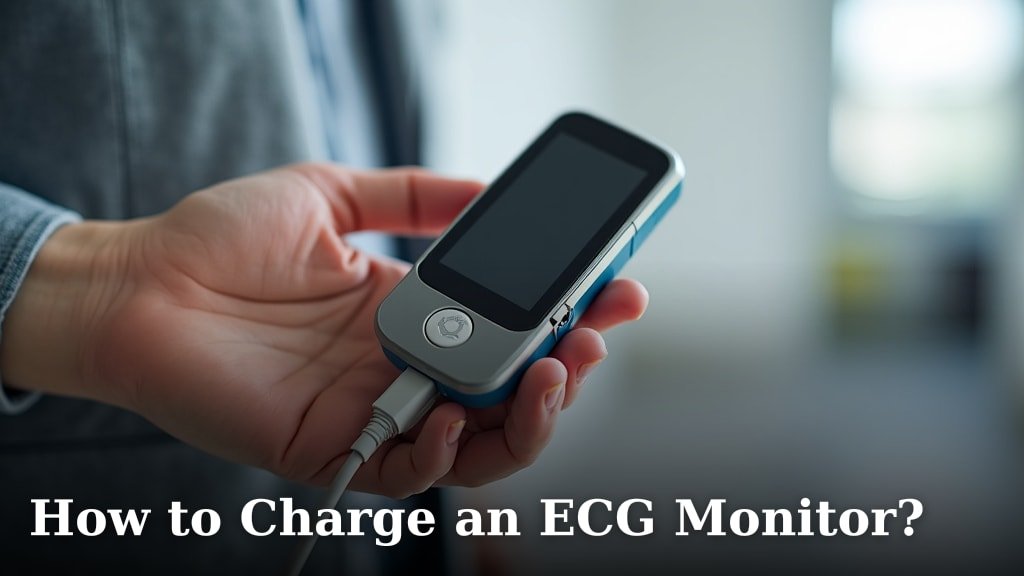
For rechargeable monitors, a problem with the charging cable or port can also prevent the battery from getting enough juice; follow the guide to charge an ECG monitor safely. Is the charging light coming on?
If you suspect a faulty battery, try replacing it if possible. If it’s a built-in battery, consult your device’s manual or support.
Understanding Device Malfunctions and User Error
While less common, sometimes the monitor itself can have an internal glitch. And occasionally, the way we use the device can lead to problems.
It’s okay; nobody’s perfect. Identifying if it’s the device or how you’re using it is the next step.
Internal Device Glitches
Just like your phone or computer, an ECG monitor can experience a temporary software glitch. This might cause it to freeze or display an error message.
Often, these glitches are minor. A simple restart can clear many of these temporary hiccups. It’s like turning your computer off and on again when it acts up.
If the error persists after a restart, it might indicate a more serious internal issue. We found that device manufacturers often have specific troubleshooting steps for these.
Incorrect Electrode Placement
The correct placement of electrodes is crucial for accurate readings. Improper placement can confuse the monitor, leading to an error or poor signal quality.
Each type of ECG has specific guidelines for where electrodes should go. For example, a 12-lead ECG requires precise anatomical locations.
Double-check your device’s manual for exact electrode placement instructions. Even a slight deviation can make a difference (American Heart Association).
Here’s a quick checklist for proper electrode placement:
- Clean and dry the skin where electrodes will be placed.
- Trim excessive hair if present to ensure good contact.
- Attach electrodes firmly, ensuring full contact.
- Place electrodes in the exact locations shown in your device’s manual.
- Avoid placing electrodes over bones or major muscle groups if possible.
Environmental Factors and Interference
Your environment can sometimes play a role in how your ECG monitor performs. External interference can disrupt the delicate electrical signals.
Think of it as static on a radio. It can prevent you from hearing the music clearly.
Electrical Interference
Other electronic devices nearby can sometimes create electrical interference. This “noise” can make it difficult for your ECG monitor to pick up your heart’s signals clearly.
Things like cell phones, microwaves, or even fluorescent lights can emit electromagnetic fields. These fields can sometimes affect sensitive medical devices.
Try moving your monitor away from other active electronics. Sometimes, a few feet can make all the difference.
Movement Artifacts
Your ECG monitor is trying to read very tiny electrical signals. Any significant movement during a reading can create “noise” in the data, known as movement artifacts.
If you’re moving, talking, or even shivering, the monitor might interpret these muscle movements as an error because it can’t distinguish them from your heart’s electrical activity.
Try to remain as still and calm as possible during an ECG reading. Find a quiet, comfortable place to perform the test.
When to Seek Professional Help
While many ECG monitor errors are easily resolved, some situations warrant professional attention. When should you call for backup?
It’s important to know when to troubleshoot yourself and when to reach out to a healthcare provider or device manufacturer.
| Issue | Self-Troubleshooting Step | When to Call a Professional |
|---|---|---|
| Connection Errors | Check electrodes, wires, clean skin. | Error persists after trying new electrodes/leads. |
| Battery Issues | Recharge/replace batteries, check charger. | New batteries/charger don’t fix the issue. |
| Persistent Errors | Restart device, re-read manual. | Error message won’t clear after multiple attempts. |
| Unusual Readings | Ensure proper placement, stillness. | Readings seem wildly inaccurate or concerning. |
| Device Damage | Inspect for visible wear and tear. | Physical damage prevents normal operation. |
If you’ve tried all the common troubleshooting steps and your ECG monitor continues to show an error, it’s time to take the next step. Don’t hesitate to reach out for help.
We found that contacting the device manufacturer’s customer support is often the best route for technical issues. They can offer specific solutions or guide you through advanced troubleshooting.
More importantly, if you are experiencing any concerning symptoms related to your heart health, do not rely on a malfunctioning monitor. Seek medical attention immediately (Mayo Clinic).
Conclusion
Dealing with an ECG monitor error can be frustrating, but as we’ve explored, most issues have straightforward solutions. From checking electrode connections to ensuring your device has ample power, a few simple troubleshooting steps can often get you back on track.
We found that understanding common culprits like battery life, electrode placement, and even environmental interference helps you diagnose the problem quickly. Always consult your device’s manual for specific guidance.
If you’ve tried everything and the error persists, don’t hesitate to contact the manufacturer or your healthcare provider. Your heart health is paramount, so always seek medical attention if you have concerning symptoms, regardless of what your monitor displays.
Frequently Asked Questions
What does “lead off” mean on my ECG monitor?
A “lead off” message typically means that one or more of your electrodes have lost good contact with your skin. This could be due to loose electrodes, dry gel, or even a disconnected wire. Check all connections and replace electrodes if needed.
Can my smartphone interfere with my ECG monitor?
Yes, sometimes. Electronic devices like smartphones can emit electromagnetic fields that might cause interference with sensitive medical equipment. Try taking your ECG reading away from other active electronics to minimize potential disruption.
How often should I replace my ECG electrodes?
You should replace your ECG electrodes after each use, or if they appear dry, are past their expiration date, or don’t stick well. Fresh electrodes ensure optimal signal quality and reduce the chance of error messages.
My ECG monitor gives different readings when I move. Why?
Movement can introduce “artifacts” into the ECG signal. Your monitor reads tiny electrical impulses from your heart, and muscle movement or shivering can create electrical noise that distorts the reading. Try to remain still and relaxed during a test.
Is it normal for an ECG monitor to need a restart sometimes?
Yes, it can be. Like many electronic devices, ECG monitors can sometimes experience minor software glitches. A simple restart, often by turning it off and on again, can frequently clear these temporary errors and restore normal function. Our guide on how to read an ECG strip can help you understand the data your monitor collects.