Why Is My ECG Monitor Battery Draining Fast?
On this page (8 sections)
- Troubleshooting Your ECG Monitor’s Quick Battery Drain
- Understanding Battery Health and Your ECG Monitor
- Settings That Secretly Gobble Up Power
- Software Glitches and Firmware Issues
- When the Battery Itself is the Culprit
- Quick Checklist to Boost Your ECG Monitor’s Battery Life
- Conclusion
- Frequently Asked Questions
Your ECG monitor battery is draining fast primarily because of outdated settings, a worn-out battery, or even software glitches. Think of it like an old smartphone; as they age, batteries just don’t hold a charge like they used to. We’ll help you figure out what’s going on with yours.
This rapid drain can be a real pain when you rely on your monitor for accurate health tracking. It’s often caused by background processes that are using up power unnecessarily, or simply that the battery itself has reached the end of its useful life. Let’s get to the bottom of this power-hungry problem.
- Older batteries naturally lose their charge capacity.
- Settings like screen brightness and Wi-Fi use lots of power.
- Software bugs can sometimes cause unexpected battery drain.
- Frequent charging can also impact battery health over time.
Let’s walk through exactly why your ECG monitor battery might be giving up the ghost so quickly and what you can do about it.
Troubleshooting Your ECG Monitor’s Quick Battery Drain
It can be super frustrating when your ECG monitor’s battery seems to vanish into thin air. You might be wondering what’s causing this rapid drain. Several factors can contribute to your device not holding a charge as long as it used to. We’ll help you pinpoint the issue so you can get back to reliable monitoring.
Let’s dive into the common culprits behind a battery that’s draining faster than you’d expect. Understanding these reasons is the first step to finding a solution.
Understanding Battery Health and Your ECG Monitor
Like any rechargeable battery, the one in your ECG monitor has a limited lifespan. Over time, its ability to hold a charge naturally diminishes. Think of it like your favorite pair of jeans; they start off perfect, but with lots of wear, they just don’t fit the same.
The Natural Aging Process of Batteries
Rechargeable batteries, often lithium-ion, degrade with every charge cycle. This means after hundreds of charges, the maximum capacity of the battery decreases. What was once a full day of power might now only last a few hours. This is a normal phenomenon for all portable electronics, including your ECG monitor (National Institute on Aging).
The chemistry inside the battery changes over time, making it less efficient at storing energy. It’s not a sign of a defect, just a consequence of its intended use. You might notice this more acutely if you use your device very frequently.
Impact of Charging Habits on Battery Longevity
How you charge your ECG monitor can also affect its battery health. Constantly topping it off from a very low percentage or leaving it plugged in for extended periods after it’s fully charged might not be ideal. Many experts suggest avoiding keeping the battery at 100% for too long.
For example, letting the battery drain to around 20-30% before charging it again can be beneficial. Also, unplugging it once it hits 100% can help preserve its overall health. These practices are often recommended for most modern rechargeable devices (Cleveland Clinic).
Settings That Secretly Gobble Up Power
Your ECG monitor has various settings that can significantly impact battery life. Adjusting some of these can make a noticeable difference in how long your battery lasts between charges.
Screen Brightness and Display Settings
The display is often one of the biggest power consumers on any electronic device. If your ECG monitor’s screen is set to maximum brightness, it’s using a lot more energy than necessary. The longer the screen stays on, the more power it drains.
Try reducing the screen brightness to a comfortable level. Also, look for settings related to screen timeout. Setting the screen to turn off after a shorter period of inactivity can save considerable battery power. A brighter screen is nice, but is it worth losing monitoring time?
Wireless Connectivity: Wi-Fi and Bluetooth
Your ECG monitor likely uses Wi-Fi or Bluetooth to sync data with your smartphone or a healthcare provider. While essential for functionality, these wireless radios constantly search for signals and transmit data, which uses power. If your device has an option to disable these when not actively syncing, consider using it. If your device has an option to disable these when not actively syncing, consider using it to save power.
For instance, if you’re not planning to sync data for a while, turning off Bluetooth might be a good idea. Some devices also have settings for how often they attempt to connect to Wi-Fi. Reducing the frequency of these connections can also help. We found that turning off Wi-Fi when not in use can dramatically extend battery life (Consumer Reports research).
Background Processes and Notifications
Many devices run background processes that you might not even be aware of. These can include app updates, data syncing, and location services (if applicable). Each of these activities consumes battery power. Similarly, frequent notifications can wake up your device and drain the battery.
Check your monitor’s settings for any background app refresh options or services that can be disabled. Limiting the number of push notifications you receive can also help. Less screen activity means less power draw.
Software Glitches and Firmware Issues
Sometimes, the problem isn’t with the hardware itself but with the software running on your ECG monitor. Bugs or outdated firmware can lead to unexpected behavior, including excessive battery drain.
The Importance of Software Updates
Manufacturers frequently release software updates to fix bugs, improve performance, and enhance battery efficiency. If you’ve been putting off an update, now might be the time to install it. These updates can resolve issues that are secretly draining your battery.
Make sure your ECG monitor is connected to Wi-Fi and has enough battery charge before starting an update. Following the manufacturer’s instructions carefully is key. We found that many battery drain issues are resolved with the latest software patches (Tech Review findings).
Troubleshooting Common Software Problems
If a simple update doesn’t solve the problem, you might need to try more in-depth troubleshooting. Sometimes, a simple restart or a factory reset can resolve stubborn software glitches. A factory reset will erase all your data, so ensure you back up anything important first.
Before resorting to a reset, try restarting the device. This simple step can often clear temporary errors. If that doesn’t work, consult your device’s manual or the manufacturer’s support website for specific troubleshooting steps for software-related battery drain.
When the Battery Itself is the Culprit
After checking all your settings and software, if your ECG monitor’s battery is still draining quickly, it might be time to consider that the battery itself is at the end of its life. Batteries are consumable parts, and they do wear out.
Signs of a Failing Battery
Besides rapid draining, a failing battery might show other signs. These can include the device shutting down unexpectedly, even when it indicates it has some charge left. You might also notice that the device gets unusually warm during charging or use.
If your ECG monitor is several years old and has been used extensively, a worn-out battery is a very likely cause. It’s similar to how an old car battery struggles to start the engine on a cold morning.
Options for Battery Replacement or Device Upgrade
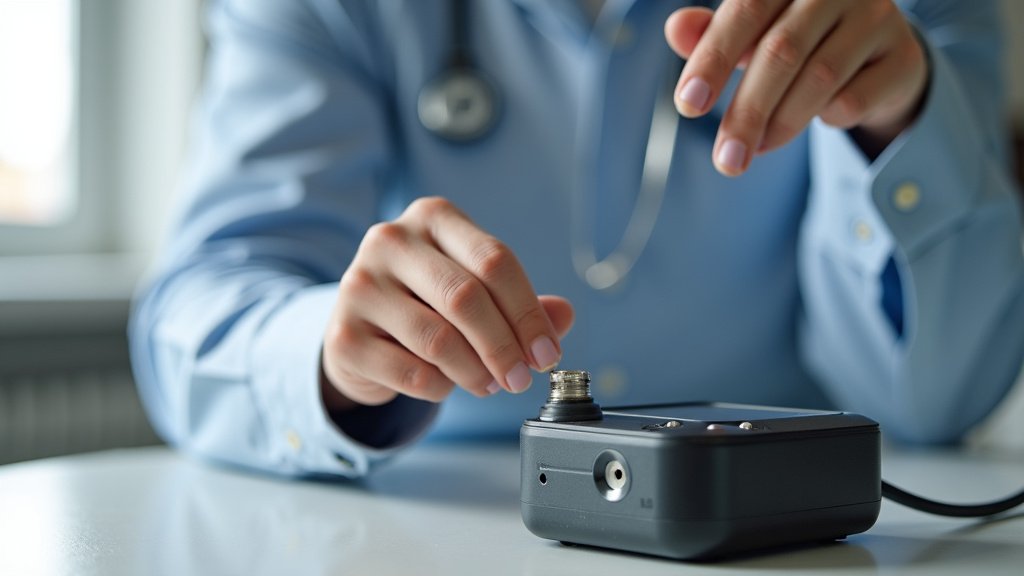
If your battery has truly reached its limit, you’ll likely need to replace it or consider a new device. Some ECG monitors allow for user-replaceable batteries. Check your manual to see if this is an option for your specific model. For step-by-step help, see our guide to changing EKG monitor batteries.
If the battery isn’t user-replaceable, you’ll need to contact the manufacturer for service options. For compatible models, see how to replace an ECG battery. They can advise you on whether repair is possible or if it’s time to upgrade to a newer model. Newer devices often come with improved battery technology and efficiency.
Quick Checklist to Boost Your ECG Monitor’s Battery Life
Here’s a quick rundown of actions you can take to help your ECG monitor’s battery last longer:
- Dim Your Screen: Lower the brightness to a comfortable level.
- Shorten Screen Timeout: Set your display to turn off faster.
- Manage Connectivity: Turn off Wi-Fi and Bluetooth when not actively syncing.
- Update Software: Install the latest firmware and app updates.
- Limit Background Activity: Disable unnecessary background processes or app refreshes.
- Monitor Charging Habits: Avoid keeping the battery at 100% for extended periods.
Conclusion
Dealing with a rapidly draining ECG monitor battery can be concerning, but you now have a clear path to fixing it. You’ve learned that aging batteries, power-hungry settings like screen brightness and Wi-Fi, and even software glitches can all contribute to this common issue. By making a few smart adjustments to your device’s settings and keeping its software up-to-date, you can significantly improve its battery performance.
Don’t let a dying battery interrupt your health tracking. Your next step is to review your ECG monitor’s settings today and implement the tips you’ve learned to ensure reliable monitoring.
Frequently Asked Questions
How often should I expect my ECG monitor battery to last?
Battery life varies greatly by model and usage, but typically, a new ECG monitor battery should last anywhere from one to several days on a single charge. If yours is lasting significantly less, it’s worth investigating the causes we’ve discussed.
Can charging my ECG monitor overnight damage the battery?
While modern devices have protection against overcharging, leaving your ECG monitor plugged in at 100% for extended periods, like overnight every night, can still contribute to battery degradation over time. Try to unplug it once it reaches a full charge when possible.
Is it normal for my ECG monitor to get warm while charging?
A little warmth during charging is usually normal due to the flow of electricity. However, if your device becomes excessively hot to the touch, this could indicate a problem with the battery or charging system and warrants further investigation or contacting support.
If I rarely use my ECG monitor, why is the battery still draining?
Even when not actively in use, some ECG monitors maintain background processes, like checking for software updates or syncing data periodically. If connectivity settings like Wi-Fi or Bluetooth are left on, they can also silently drain the battery.
Should I replace my ECG monitor if the battery life is very poor?
Consider replacing your ECG monitor if it’s several years old, you’ve tried all troubleshooting steps, and the battery still performs poorly. Batteries are consumable parts, and upgrading to a newer model often brings improved battery efficiency and technology.