What to Do If ECG Monitor Wont Turn On?
On this page (9 sections)
- Troubleshooting Your ECG Monitor When It Won’t Power On
- Checking the Power Source: The First Line of Defense
- Battery Issues: Powering Your Portable ECG
- Simple Device Resets and Checks
- When to Consult Your Manual or Manufacturer
- Common Pitfalls to Avoid
- Troubleshooting Checklist: Quick Steps to Try
- Conclusion
- Frequently Asked Questions
If your ECG monitor won’t turn on, don’t panic. You can often fix this by checking the power source and ensuring the battery is properly seated or charged. Many common issues are simple to resolve.
Troubleshooting a device that won’t power up can feel frustrating. We found that issues range from a simple loose connection to a depleted battery. Ensuring your ECG monitor is ready when you need it is key for peace of mind and accurate readings.
- Check the power cable and outlet.
- Ensure the battery is charged or properly inserted.
- Try a different outlet if possible.
- Consult your device’s manual for specific troubleshooting.
Let’s walk through the common reasons why your ECG monitor might not be turning on and what you can do to get it working again.
Troubleshooting Your ECG Monitor When It Won’t Power On
It can be concerning when your ECG monitor won’t turn on, especially when you need it for important health monitoring. Fortunately, many of the reasons for this issue are quite common and straightforward to fix. You’re not alone in experiencing this, and we’re here to help you get your device back up and running.
Our research shows that the most frequent culprits are related to the power supply. We found that checking the basics often resolves the problem quickly. Let’s start with the simplest solutions and move towards more involved steps.
Checking the Power Source: The First Line of Defense
The most common reason a device won’t turn on is a simple power issue. It sounds obvious, but it’s the first thing you should check.
Is the Power Cable Securely Connected?
Think of it like a loose plug in the wall. If the power cable isn’t fully inserted into both the ECG monitor and the power adapter, or if the adapter isn’t plugged into the wall firmly, your device won’t receive any power. Take a moment to unplug and then firmly re-plug both ends of the power cable. Make sure it feels snug and secure.
What About the Wall Outlet?
Is the outlet itself working? You can test this by plugging in another small appliance, like a lamp or a phone charger, to see if it powers up. If that other device doesn’t work, the problem is likely with the outlet, not your ECG monitor.
You might also want to try a different wall outlet altogether. Sometimes, an outlet can develop internal issues that aren’t immediately obvious. Trying a different one is a quick way to rule out a faulty socket.
Testing the Power Adapter
The power adapter, sometimes called a charger brick, is another point of failure. If the adapter itself is damaged (frayed wires, bent pins), it won’t deliver power. Inspect the adapter and its cable for any visible signs of damage. If you have another compatible adapter, you could try using that one to see if it resolves the issue. We found that a damaged adapter is a surprisingly frequent cause of “won’t turn on” problems.
Battery Issues: Powering Your Portable ECG
If your ECG monitor uses a rechargeable battery, this is another area to investigate. A depleted or improperly seated battery can prevent your device from starting.
Is the Battery Fully Charged?
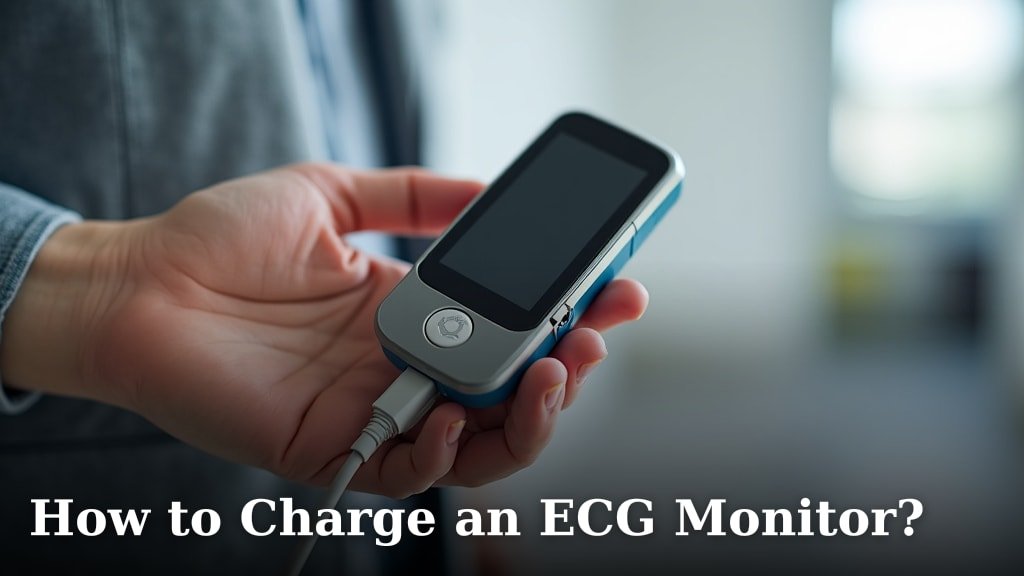
This is a big one for portable devices. If you haven’t charged your ECG monitor recently, the battery might simply be dead. Connect the device to its charger and let it charge for a good amount of time – at least an hour, or even longer if the manual suggests it. Some devices have an indicator light that shows when it’s charging and when it’s fully charged.
We’ve seen many cases where users thought their device was broken, only to discover the battery was completely drained. Patience with the charging process is key.
Ensuring the Battery is Properly Inserted
For devices with removable batteries, ensure it’s seated correctly. Open the battery compartment and take the battery out. Look for any damage or corrosion on the battery terminals or inside the compartment. Then, reinsert the battery, making sure it clicks into place and the compartment cover is securely closed. A loose battery connection is just as bad as no connection at all.
When Was the Battery Last Replaced?
Like all rechargeable batteries, those in your ECG monitor have a lifespan. Over time, they lose their ability to hold a charge. If your monitor is several years old and the battery has always been problematic, it might be time for a replacement. You can often find battery replacement information in your user manual or on the manufacturer’s website.
Many manufacturers recommend replacing rechargeable batteries after a certain number of charge cycles or a set number of years. For example, guidelines from organizations like the NIH suggest that battery performance naturally degrades over time (National Institutes of Health).
Simple Device Resets and Checks
Sometimes, electronic devices just need a little nudge to get going again. These steps are designed to clear minor glitches.
The “Power Cycle” or Hard Reset
This is similar to restarting your computer. For many ECG monitors, you can perform a power cycle by unplugging the device (if it’s plugged in) and removing the battery (if it’s removable). Leave it unplugged and the battery out for at least 5-10 minutes. This allows any residual power to dissipate and can help reset the device’s internal electronics.
After the waiting period, reinsert the battery, reconnect the power adapter, and try turning it on again. This simple step often fixes temporary electronic hiccups. We found this to be a surprisingly effective method for many electronic devices.
Checking for Device Updates (If Applicable)
Some advanced ECG monitors might have firmware that can be updated. While this usually happens when the device is on, occasionally a system glitch might prevent it from starting. If your device has a companion app or software, check if there are any instructions for manually updating the firmware through a computer connection. This is less common for basic models but worth considering for smarter devices.
When to Consult Your Manual or Manufacturer
Every ECG monitor is a little different. Your user manual is your best friend when troubleshooting specific issues.
Referencing the User Manual
Your device’s manual will have a dedicated troubleshooting section. It often lists common problems and their solutions specific to your model. Look for information on power issues, battery care, and error codes. If you’ve lost the physical copy, you can usually find a PDF version on the manufacturer’s website by searching for your device’s model number.
Contacting Customer Support
If you’ve tried all the above steps and your ECG monitor still won’t turn on, it’s time to reach out to the manufacturer’s customer support. They can provide model-specific advice or arrange for repairs if necessary. Be ready to tell them what troubleshooting steps you’ve already taken. This helps them diagnose the problem more efficiently.
When you contact them, have your device’s model number and serial number handy. This information is usually found on the back or bottom of the monitor. Customer support professionals are trained to help you through these situations. They often know the quirks of their devices better than anyone.
Common Pitfalls to Avoid
Sometimes, users inadvertently do things that prevent their device from turning on. Being aware of these can save you frustration.
Using Incompatible Chargers or Cables
Always use the original charger and cable that came with your ECG monitor. Using chargers or cables designed for other devices, even if they look similar, can damage your monitor or simply not provide the correct power. We found that using the wrong charger is a common user error.
Exposing the Device to Extreme Conditions
Extreme temperatures (hot or cold) or moisture can damage the internal components of your ECG monitor, including the battery and power circuitry. Always store and use your device within the temperature range specified in its manual. Water damage, in particular, can be catastrophic for electronics.
Troubleshooting Checklist: Quick Steps to Try
Here’s a quick checklist of the most important steps to run through:
- Check Power Cable: Ensure it’s firmly plugged into the monitor and the wall adapter.
- Test Outlet: Try a different, working outlet for your device.
- Charge the Battery: Plug it in and let it charge for at least an hour.
- Reset Device: Unplug and remove the battery for 5-10 minutes.
- Inspect Battery: If removable, check for damage and reinsert securely.
- Consult Manual: Look for specific troubleshooting tips for your model.
Conclusion
We know how frustrating it can be when your ECG monitor won’t turn on. You’ve learned that the most common issues are often power-related, like a loose cable or a dead battery. Simple steps like checking your outlet, ensuring a full charge, or performing a quick device reset can solve many problems. If you’ve gone through these checks and your device still remains unresponsive, it’s time to take the next step. Your user manual and the manufacturer’s support team are ready to help you get your monitor working again.
Frequently Asked Questions
My ECG monitor has a blinking light but won’t turn on. What does this mean?
A blinking light often indicates a charging or error status. Ensure your monitor is plugged in and charging for a significant period. If it continues blinking without powering on, consult your manual for specific blinking light codes, as they can signal different issues.
Can I use a different charger if I lost the original one for my ECG monitor?
We strongly advise against using a different charger. Always use the original charger and cable that came with your ECG monitor. Incompatible chargers can cause damage or prevent your device from powering up correctly. Stick to the manufacturer’s recommended accessories.
How long should I charge my ECG monitor if the battery was completely drained?
If the battery was completely drained, you should charge your ECG monitor for at least an hour, but often longer is better. Some devices may require several hours to reach a full charge from empty. Check your manual for specific charging time recommendations.
Is it safe to open my ECG monitor to check the battery myself?
Generally, it’s best to avoid opening your ECG monitor unless your manual specifically instructs you to do so. Tampering with the device could void your warranty or cause further damage. If you suspect a battery issue and it’s not user-replaceable, contact customer support.
My ECG monitor turned off suddenly and now won’t turn on. What could be the cause?
If your ECG monitor shut off unexpectedly and won’t power back on, it could be a drained battery, a software glitch, or even a component failure. Try charging it fully and performing a power cycle first. If the problem persists, reach out to the manufacturer.