How to Set Up Sleep Tracking on a Samsung Galaxy Watch
Turn on sleep tracking in the Samsung Health app, wear your Galaxy Watch overnight, and sync it in the morning. Your recorded sleep data appears in Samsung Health after the watch and phone finish syncing.
On this page (7 sections)
- How do you set up Samsung watch sleep tracking?
- How should you prepare a Galaxy Watch before bed?
- Where do you find recorded sleep data?
- What should you do if sleep data is incomplete?
- How do you choose a sleep-tracking watch for a Samsung phone?
- Can sleep tracking detect sleep apnea?
- What is the easiest Samsung watch sleep tracking routine?
Turn on Samsung watch sleep tracking in Samsung Health, wear your Galaxy Watch overnight, and sync the watch in the morning.
The app is where you review the sleep session and any available details.
That simple order works because the watch records while you sleep and the phone app stores the results for later.
You do not need to keep your phone beside the bed for the watch to record.
You will need the phone nearby in the morning so the session can sync properly.
Before bed, charge the watch fully enough to last through the night.
A watch that runs out before morning may leave a short or missing session.
Check that the strap feels secure without pressing too hard on your wrist.
The sensor needs steady skin contact, but comfort matters if you plan to wear it for several hours.
Confirm that Samsung Health can connect to the watch before you settle down.
A quick check for Bluetooth and app permissions can save trouble after you wake.
If you are comparing different devices, our guide to the best sleep tracking watch explains which features matter for overnight use.
Battery life, band comfort, and the way results are shown all affect nightly use.
Some watches suit Galaxy owners who want everything in Samsung Health.
Others suit Android users who prefer a separate app with different watch faces and sport modes.
Think about how you sleep before you choose, because position and movement can affect contact.
Side sleepers may want a slimmer case, while back sleepers may tolerate a larger screen more easily.
Also consider whether you will wear the watch during the day for steps and notifications.
One device that fits both routines is easier to keep charged and ready each night.
Set a simple evening routine and repeat it so charging and syncing become habit.
Review the first few mornings for gaps, then adjust fit or charge time if needed.
How do you set up Samsung watch sleep tracking?
Open Samsung Health, choose the sleep section, and follow the setup prompts. The exact labels can differ between Galaxy Watch models and software versions, but the setup normally starts in Samsung Health on the watch or connected phone.
Use this order:
- Install or open Samsung Health on the compatible phone.
- Pair the Galaxy Watch with the phone through the required Samsung wearable app.
- Open the sleep section in Samsung Health.
- Allow the permissions needed for health and activity records.
- Set any bedtime or wake-time goals the app offers.
- Wear the watch overnight with the sensor resting against your skin.
- Open Samsung Health after waking and allow the watch to sync.
Sleep tracking depends on a usable connection between the watch, phone, and Samsung Health account. If setup stops, check Bluetooth, app permissions, software updates, and the watch's battery level before trying again.
How should you prepare a Galaxy Watch before bed?
Charge the watch and wear it securely before you sleep. A low battery can interrupt overnight recording, while a loose band can let the sensor move away from your skin.
Clean the sensor area with a soft, dry cloth if it has sweat or lotion on it. Keep the band comfortable because sleep tracking is only useful when you can wear the watch for the whole night.
Turn on the sleep features you want to use in Samsung Health. Depending on the Galaxy Watch model, the available options may include sleep stages, snoring information, blood oxygen during sleep, or sleep coaching.
Samsung's Galaxy Watch support information can help you match setup steps to your watch model and software version.
Can another smartwatch track sleep with a Samsung phone?
Yes, some smartwatches work with Samsung or Android phones, but their apps and sleep reports differ. Check phone compatibility, battery life, charging time, and the sleep features you actually want before switching devices.
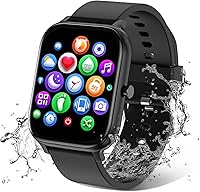
The TORJALPH Smart Watch for Men Women Compatible supports Android 5.0+ and iOS 9.0+ phones, uses Bluetooth, and includes a sleep monitor. Its title also identifies a 1.69 inch full touch screen and IP68 waterproofing.
This watch suits someone who wants a basic overnight tracker alongside phone notifications and activity features. Its product data lists a black silicone band, a 230 mAh battery, magnetic charging, and a stated battery life of 5–7 days.
It isn't a Galaxy Watch, so its sleep records appear in its own companion app rather than Samsung Health. Use the same general routine: charge it before bed, wear it securely, and sync the app after waking.
Where do you find recorded sleep data?
Open Samsung Health and select the sleep section after the watch syncs. Start with the main sleep summary, then open the detailed view if your model and software provide one.
Look for the time you fell asleep, the time you woke, total sleep duration, and any sleep-stage information. Some models may also show blood oxygen or other overnight measures, but the available report depends on the watch and enabled settings.
If last night's record is missing, keep the watch and phone near each other for a few minutes. Then check whether Bluetooth is connected, Samsung Health is signed in, and the watch has enough battery.
The Samsung watch sleep tracking explained article uses Apple Watch as its example, but it can help you understand why a wearable may show sleep duration, stages, and related signals in a companion app.
What should you do if sleep data is incomplete?
Check fit, battery, permissions, and syncing first. Those four areas explain many missing or short sleep sessions.
A loose band can cause gaps when the watch moves on your wrist. A nearly empty battery can stop recording before morning, while disabled permissions can prevent Samsung Health from saving or displaying the session.
Keep the watch clean and dry before wearing it. Also check whether sleep mode or another setting is active, and confirm that the app has permission to access the health information it needs.
Sleep tracking is an estimate based on sensor signals. It can help you see patterns, but it is not a medical diagnosis.
Talk with a health professional about ongoing sleep problems, loud snoring, breathing pauses, or severe daytime sleepiness.
How do you choose a sleep-tracking watch for a Samsung phone?
Choose the device that fits your phone, overnight routine, and preferred app. A longer battery life can reduce charging interruptions, while a comfortable band and clear sleep report can make nightly use easier.
The Tensky Smart Watch for Men/Women Android/iPhone/Samsung has a 1.8 inch touch screen, sleep monitoring, and compatibility with iPhone, Android, and Samsung phones. Its data also lists a 350 mAh battery, a 2-hour charge time, and up to 12 days of average battery life.
Tensky suits readers who want sleep tracking alongside calls, notifications, Alexa, and more than 120 sport modes. It uses a black silicone band and has a 3ATM waterproof rating, but it is not a Galaxy Watch and its sleep records use its own companion app.
The aeac Smart Watch for Women has a 1.32 inch AMOLED touchscreen, sleep and blood oxygen monitoring, and compatibility with Samsung, iPhone, and Android smartphones. Its product data lists a rose gold metal band, 3ATM water resistance, a 2-hour charge time, and a 10-day average battery life.
The aeac model may suit someone who prefers an AMOLED display and a rose gold metal band. It records sleep duration, heart rate, blood oxygen, and stress according to its listed metrics, but its records are handled through its own connected app rather than Samsung Health.
For a broader explanation of sensor-based sleep records, read how do sleep tracking watches work. If you want a simple setup checklist for any wearable, see how to track sleep with a smartwatch.
Can sleep tracking detect sleep apnea?
Sleep tracking may show signals such as breathing-related changes or overnight blood oxygen, but a smartwatch cannot confirm sleep apnea.
Treat unusual results as a reason to discuss your concerns with a qualified health professional.
Sleep apnea involves repeated pauses or shallow breathing that can be hard to judge from wrist data alone.
A smartwatch can record patterns over time, yet it cannot measure airflow the way clinical equipment does.
Some watches and apps can record blood oxygen or other sleep-related measurements.
Those readings can be affected by fit, movement, skin contact, battery level, and the device's software.
A loose strap may let the sensor shift when you turn over during the night.
Cold skin, lotion, or a dirty sensor area can also make contact less steady.
Movement can create gaps, and software updates may change how results are calculated or displayed.
That is why one low reading should not be treated as a clear answer on its own.
Look instead for patterns across several nights and note any symptoms you notice.
Loud snoring, waking with a dry mouth, or strong daytime sleepiness are worth mentioning to a clinician.
Do not use a smartwatch report to start, stop, or change treatment.
Our guide to EKG for sleep apnea, oxygen, and rhythm explains the difference between wearable measurements and clinical evaluation.
Clinical testing can use more sensors and controlled conditions to build a fuller picture.
A wearable may still help you decide to ask for that follow up sooner.
Keep the watch clean, charge it before bed, and wear it securely for more reliable records.
If results worry you or sleep problems continue, speak with a qualified health professional promptly.
What is the easiest Samsung watch sleep tracking routine?
Charge the watch, wear it comfortably, sync Samsung Health in the morning, and review the sleep summary. Repeat the same routine for several nights so you can spot patterns instead of focusing on one reading.
Pick a Galaxy Watch if you want sleep records inside Samsung Health. Pick the TORJALPH if Android 5.0+ compatibility and a 1.69 inch touch screen fit your needs, the Tensky if you want broader phone compatibility and a longer listed battery life, or the aeac if you prefer an AMOLED screen and rose gold metal band.
If the watch repeatedly misses sleep sessions, check fit, battery, Bluetooth, and permissions before assuming the sensor is faulty. Persistent sleep concerns belong with a health professional, not only an app report.
Frequently asked questions
How do I turn on sleep tracking on a Samsung Galaxy Watch?
Open Samsung Health on your connected phone or watch, find the sleep section, and follow the setup prompts. Wear the Galaxy Watch while you sleep with a secure fit, then sync it in the morning.
Menu names can vary by watch model and software version.
Where can I see sleep data from my Samsung Galaxy Watch?
Open Samsung Health and select the sleep section after your watch syncs. You can review the recorded sleep duration and available sleep details there.
If the data is missing, check the Bluetooth connection, Samsung Health permissions, watch battery, and account sync.
How tight should a Galaxy Watch be for sleep tracking?
Wear the Galaxy Watch securely enough to keep its sensors against your skin, but not so tight that it feels uncomfortable overnight. Keep the sensor area clean and dry.
If the band shifts during sleep, the recorded data may be incomplete.
Can I use a Samsung Galaxy Watch without a phone for sleep tracking?
A Galaxy Watch can record some data while you sleep, but the phone and Samsung Health app are useful for setup, syncing, and reviewing results. Keep the watch charged and reconnect it to the compatible phone when you wake up so the latest data can transfer.