How to Use an ECG Monitor at Home?
On this page (7 sections)
To use an ECG monitor at home, you typically follow simple steps: attach the electrodes to your skin, turn on the device, and let it record your heart’s electrical activity. The monitor then saves or sends this data for review.
Many people are looking for convenient ways to check their heart health without frequent doctor visits. Home ECG monitors offer a great solution for tracking your heart rhythm and spotting potential issues early. For water use, read about swimming with an ECG monitor. They can give you and your doctor a clearer picture of your heart’s performance over time.
- Attach electrodes correctly.
- Ensure a good connection for accurate readings.
- Follow your device’s specific instructions.
- Understand how to interpret basic results.
- Share data with your healthcare provider.
Ready to get started? Let’s walk through exactly how to set up and use your home ECG monitor, step by step.
Setting Up Your Home ECG Monitor for Success
To get the most accurate readings from your home ECG monitor, proper setup is key. Think of it like tuning an instrument – a little attention upfront makes all the difference.
Understanding Your Device Type
Before you even unbox it, it’s good to know which kind of monitor you have. Are you using a single-lead, multi-lead, or perhaps a wearable device? Each type has its own setup nuances.
Most home ECG monitors are single-lead devices. These are often small, portable, and take readings by placing fingers or hands on built-in sensors, or by attaching a few sticky electrodes to your chest.
Other types might be wearable patches that you stick on and forget for a few days, or more advanced multi-lead systems that resemble a doctor’s office setup. Always check your user manual first. It’s truly your best friend here, as every model is a little different.
Gathering Your ECG Essentials
Before you start, make sure you have everything you need. This might sound obvious, but missing a key item can delay your measurement.
- Your ECG device
- Fresh batteries (if not rechargeable)
- Electrode patches (if your device uses them)
- Alcohol wipes or soap and water for skin preparation
- A clean, quiet space
- Your smartphone or tablet (if the device connects via an app)
Preparing for Your ECG Reading
Just like you wouldn’t run a marathon without stretching, you shouldn’t take an ECG without a little prep. This helps ensure your results are clear and reliable.
Skin Preparation: The Unsung Hero
Your skin needs to be clean and dry for the electrodes to stick well and pick up signals accurately. We’ve found that skin prep is often overlooked, yet it significantly impacts readings.
First, choose a good spot. For many chest-patch devices, this means an area with minimal hair. Shave if necessary, but be gentle to avoid irritation.
Next, clean the area with an alcohol wipe or soap and water. This removes oils, sweat, and dead skin cells which can interfere with the electrical signal (Mayo Clinic). Let your skin completely dry before proceeding.
Finding Your Calm Space
Your heart rate can change with stress or movement. For the most accurate reading of your normal rhythm, it’s helpful to be relaxed. Find a quiet place where you won’t be disturbed.
Sit comfortably in a chair or lie down. Avoid talking, eating, or using your phone during the recording. Give yourself a few minutes to simply relax before activating the device.
Step-by-Step Guide to Taking an ECG
Now for the main event! While specific steps vary slightly by device, these general instructions will cover most home ECG monitors.
Attaching Electrodes (If Applicable)
If your device uses stick-on electrodes, proper placement is vital. The user manual will show you exact spots, often with diagrams. Don’t guess here!
Typically, electrodes are placed on your chest, arms, or legs. They need to be firmly, but comfortably, pressed onto your skin. Ensure good skin contact. If an electrode feels loose, try re-applying it or using a fresh one.
Many devices use 1 to 3 electrodes for home monitoring. For example, some might have you place one on your upper right chest, one on your lower left chest, and one on your lower left abdomen.
If your device uses hand sensors, simply place your fingers or palms firmly on the designated metal plates.
Activating and Recording Your ECG
Once everything is in place, it’s time to start the recording. This is usually as simple as pressing a button or opening an app.
Turn on your ECG monitor. If it pairs with a smartphone app, make sure your phone is nearby and Bluetooth is enabled. Open the app and follow the prompts to “Start Recording” or “Take ECG.”
During the recording, try to remain still and breathe normally. Some devices take only 30 seconds to a minute; others might record for longer. Resist the urge to move or talk. Movement can create “artifact” – electrical noise that makes the reading hard to interpret (NIH). For more tips, see our guide to a clear 30-second ECG recording.
Troubleshooting Common Issues
Sometimes, things don’t go perfectly. We’ve all been there! Don’t get discouraged if you get an error message or a “poor signal” reading.
- Check electrode contact: Are they firmly attached?
- Skin prep: Is your skin clean and dry?
- Battery level: Is your device charged or do batteries need replacing?
- Interference: Are you near other electronics that might be causing interference? Try moving away from large appliances.
- Relaxation: Are you calm? Try taking a few deep breaths.
Many devices have built-in indicators for signal quality. If yours shows a red light or “poor signal,” try the steps above before re-recording.
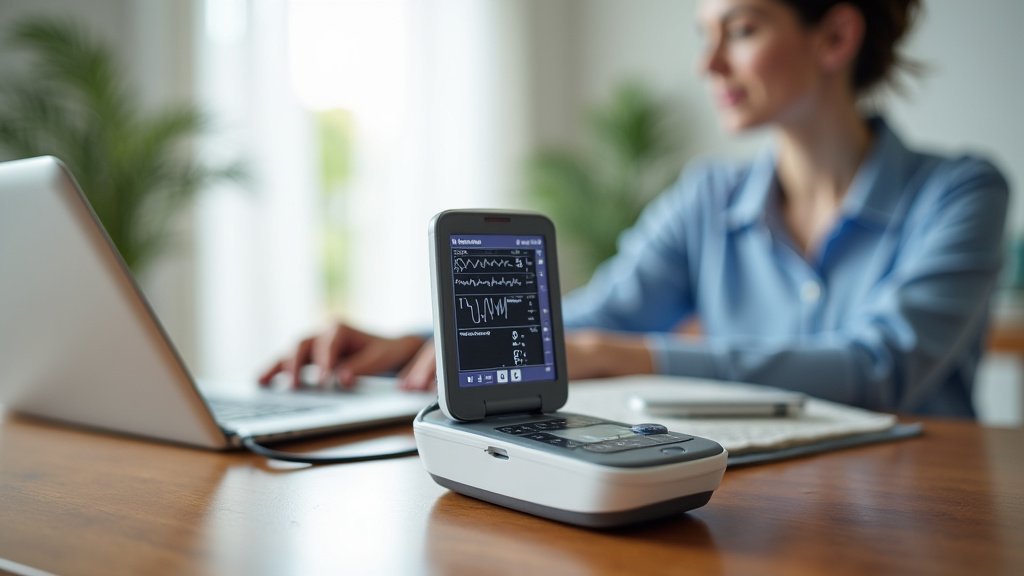
Reviewing Your ECG Data
Once your recording is complete, your device will typically save the data or send it to its paired app. This is where you get to see a snapshot of your heart’s activity.
Understanding Basic ECG Readings
Most home ECG apps provide a simplified view of your heart rhythm. Don’t expect to become a cardiologist overnight! But you can learn to spot some basic patterns.
You’ll usually see a waveform that goes up and down – this is the electrical activity. Your app might highlight your heart rate and whether your rhythm appears “normal” or if there are “irregularities.”
Many apps use easy-to-understand color codes or simple messages. Green might mean “Normal Sinus Rhythm,” while yellow or red could indicate a potential issue like atrial fibrillation (AFib) or other arrhythmias.
Remember, these are not diagnostic. They are indicators that you should discuss with your doctor.
When to Contact Your Doctor
This is perhaps the most important part of home ECG monitoring. You’re not just taking readings for fun; you’re gathering data for your healthcare provider.
Contact your doctor if:
- Your device consistently reports an irregular rhythm.
- You experience symptoms like chest pain, dizziness, shortness of breath, or palpitations, even if your ECG seems normal.
- You have concerns about any of your readings.
- Your doctor specifically asked you to monitor and report certain findings.
Always trust your instincts. If something doesn’t feel right, reaching out to your doctor is always the best step.
Sharing Your Results with Your Healthcare Provider
The beauty of home ECG monitors is their ability to gather data over time. This can be incredibly valuable for your doctor.
Most devices allow you to export or share your readings via email, PDF, or directly through integrated health platforms. Check your app’s sharing features.
When you share, provide context. Tell your doctor about any symptoms you felt during the recording, or what you were doing. This helps them interpret the data most effectively. For example, “I felt dizzy during this reading,” or “I was exercising just before this.”
Maximizing the Benefits of Home ECG Monitoring
Using your ECG monitor regularly and correctly helps you partner with your doctor in managing your heart health. A monitor for home health aides may be useful in caregiving settings. It can be a powerful tool when used thoughtfully.
A Quick Checklist for Confident Monitoring
To help you conduct your home ECG monitoring confidently, here’s a quick checklist to reference:
| Step | Action | Why It Matters |
|---|---|---|
| 1 | Read your device manual. | Every device is unique. |
| 2 | Clean & dry skin. | Ensures clear signal. |
| 3 | Attach electrodes firmly. | Good contact is crucial. |
| 4 | Relax before recording. | Avoids stress-induced changes. |
| 5 | Stay still during reading. | Prevents movement artifacts. |
| 6 | Review results & notes symptoms. | Provides context for your doctor. |
| 7 | Share data as per doctor’s advice. | Informs medical decisions. |
By following these steps, you’re not just taking a reading; you’re gathering meaningful information that contributes to a clearer picture of your heart’s well-being. Your proactive approach makes a real difference in how your health is managed (Cleveland Clinic).
Conclusion
You’ve seen how straightforward it can be to use a home ECG monitor. By understanding your device, preparing properly, and following the steps, you gain a powerful tool for your heart health. This proactive approach helps you gather essential data. It gives your doctor a clearer picture of your heart’s rhythm over time. Remember, your home readings are not a diagnosis, but they are incredibly helpful for timely discussions with your healthcare provider. Take these steps to partner confidently in your own well-being.
Frequently Asked Questions
Can a home ECG monitor detect a heart attack?
No, home ECG monitors are not designed to diagnose a heart attack. While they can show changes in heart rhythm, a heart attack requires immediate medical evaluation and more advanced diagnostic tests by professionals. If you experience symptoms like chest pain, shortness of breath, or discomfort, seek emergency care immediately.
How often should I take an ECG reading at home?
The frequency depends on your doctor’s recommendations and your specific health needs. Some people might use it daily, while others use it a few times a week or when they experience symptoms. Always follow your healthcare provider’s advice regarding your monitoring schedule.
What if my home ECG monitor shows an irregular rhythm but I feel fine?
Even if you have no symptoms, an irregular reading should be discussed with your doctor. Some serious heart conditions, like Atrial Fibrillation, can be silent. Sharing these readings helps your doctor assess your heart health and decide if further evaluation is needed.
Are home ECG monitors accurate enough for medical purposes?
Many commercially available, FDA-cleared home ECG monitors are accurate for detecting specific rhythm irregularities, like AFib. However, they typically provide a simplified view compared to a clinical 12-lead ECG. The data they collect is a valuable supplement for your doctor, not a replacement for professional diagnostic tests.
Can children use home ECG monitors?
Home ECG monitors are generally intended for adult use. Some devices may be suitable for older children, but always consult with a pediatrician or pediatric cardiologist before using such a device on a child. Skin preparation and electrode placement can be different for younger individuals.