How to Set Up AFib Detection on Apple Watch
To set up AFib detection on Apple Watch, enable Irregular Rhythm Notifications in the Health app after confirming your watch and iPhone support the feature. The notification can suggest an irregular rhythm, but it does not diagnose AFib.
On this page (7 sections)
- What does Apple Watch AFib detection actually do?
- How do you set iWatch to detect AFib?
- What should you check before enabling notifications?
- How do you turn on Irregular Rhythm Notifications?
- What happens after an AFib notification?
- Why might Apple Watch miss AFib?
- How should you use Apple Watch heart features safely?
To set up AFib detection on Apple Watch, turn on Irregular Rhythm Notifications in the Health app and complete the health information prompts. The feature can look for signs of an irregular rhythm, but it does not diagnose AFib and does not replace medical care.
Apple uses the term Apple Watch rather than iWatch, but the setup is the same searchers often mean by "how to set iWatch to detect AFib." Before you begin, charge the watch, keep it paired with your iPhone, and update both devices when updates are available.
This feature suits people who want background information about possible rhythm changes over time. It is less suited to anyone hoping for an instant answer during symptoms or a replacement for testing ordered by a clinician.
Daily use depends on the watch being worn regularly and fitting well on the wrist. A loose fit can make readings less reliable, so check the band and the position of the watch before you rely on notifications.
Setup is straightforward, but the Health app may ask for a birth date and other health details. Enter those details carefully, because eligibility can depend on accurate information and the prompts may differ by region.
After enabling the setting, return to the Health app to confirm that notifications are on. That check takes a minute and helps you avoid assuming the feature is active when it is not.
A notification should be treated as information to discuss, not as a diagnosis on its own. Carry on with prescribed care and seek professional advice if you have concerning symptoms or repeated alerts.
Keep the watch charged and updated after setup, since software and pairing issues can interrupt the feature. Review the setting again after a major update, in case menu names or availability change.
Take time to learn what the notification does and does not mean before you need it. Knowing its limits in advance can make any future alert easier to discuss calmly with a health care professional.
What does Apple Watch AFib detection actually do?
Apple Watch AFib detection looks for an irregular rhythm pattern over time and may send a notification. It is not a constant monitor, and it cannot tell you with certainty that you have AFib.
Irregular Rhythm Notifications are different from recording an ECG. The notification feature reviews rhythm data collected by the watch, while the ECG app creates a recording you can save and share.
Apple explains the health features and limits in its official Apple Watch heart health guidance.
A notification can be useful information to discuss with a clinician. It should not change prescribed medicine or replace an examination, ECG, or other tests.
How do you set iWatch to detect AFib?
Open the Health app on your iPhone, choose Heart, select Irregular Rhythm Notifications, and follow the setup instructions. The exact labels may vary slightly by iOS version.
Use these steps:
- Open the Health app on the iPhone paired with your Apple Watch.
- Tap Browse, then choose Heart.
- Select Irregular Rhythm Notifications.
- Tap Set Up or Turn On.
- Enter your birth date and confirm the health information requested.
- Read the feature information and complete the prompts.
- Return to the Heart section later to review the setting.
The setup may ask whether a health professional has diagnosed AFib. Answer accurately.
The feature is intended for people who meet Apple's eligibility requirements, and the Health app may not offer it to every user.
If you want a single rhythm recording after symptoms or an alert, read How to Record an EKG on Apple Watch: Easy Guide. An ECG recording and an irregular rhythm notification answer different questions.
Which Apple Watch models can detect AFib?
Supported Apple Watch models and regional availability determine whether AFib detection appears in the Health app. Your watch also needs compatible software and a supported paired iPhone.
Do not assume every Apple Watch has the same heart features. The ECG app, irregular rhythm notifications, age requirements, and regional approvals can differ.
Apple Watch SE has different heart hardware from Apple Watch models with ECG support. See apple watch se afib detection before changing settings on an SE model.
Apple Watch Series 4 and later models may offer ECG features where supported, but the exact feature set still depends on software, region, and eligibility. Our guide to apple watch series 4 ecg explains the separate ECG process.
What should you check before enabling notifications?
Confirm your Apple Watch fits correctly, your iPhone is paired, and your Health information is complete. A loose fit or incomplete setup can make the watch less useful for heart readings.
Wear the watch on your wrist as directed by Apple, with the back of the watch touching your skin. Keep the sensors clean and avoid placing clothing between the watch and your wrist during a reading.
A replacement band can help you maintain a consistent fit, but it does not improve the watch's medical capability. Measure the watch lug width before choosing a band.
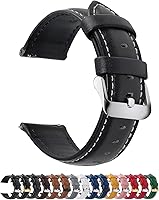
The Fullmosa 12/14/16/18/19/20/21/22/24mm Quick Release Leather Watch Band comes in several widths, has 11 adjustment eyelets, and includes a spring bar tool. Its genuine leather construction may suit someone who wants a traditional band for everyday wear.
Choose the exact width that matches your watch lugs. Fullmosa states that the band fits selected Samsung, Garmin, Huawei, Amazfit, Fossil, and other watches, so verify your watch model and lug width before ordering.
If sweat, exercise, or frequent washing makes leather inconvenient, a silicone band may be easier to manage. The BARTON Elite Silicone Watch Bands are available in 18mm, 20mm, 22mm, and 24mm widths, with quick-release spring bars and two long-side lengths.
BARTON states that its bands fit wrists from 5 to 8 inches in circumference, although watch geometry can affect the fit. Select the exact lug width, and use the quick-release mechanism only after the band is securely attached.
How do you turn on Irregular Rhythm Notifications?
The Health app is the main place to enable the setting, not the Apple Watch face. If the option is missing, check eligibility and software before assuming the watch is faulty.
After setup, open the Health app and return to Browse, Heart, and Irregular Rhythm Notifications. The page should show whether the feature is on and may explain the kind of data it uses.
You can also review notifications in the Apple Watch app on your iPhone. Look under the heart-related settings and confirm that notifications are allowed.
Menu names can change after software updates.
Do not turn the feature off just because you have not received an alert. No notification does not prove that your rhythm is normal, because Apple Watch does not check continuously.
What happens after an AFib notification?
Treat an AFib notification as a reason to contact a health care professional, not as a final diagnosis. Save the notification details and note when it appeared, what you were doing, and any symptoms.
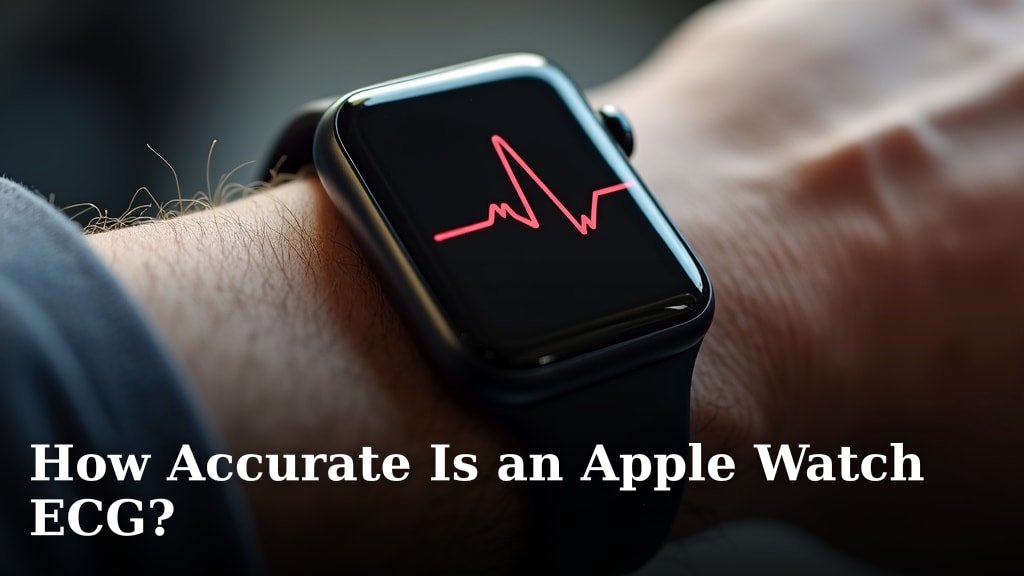
If the ECG app is available, you may be able to record an ECG and share the result with a clinician. Read How Accurate Is an Apple Watch ECG? to understand why an ECG result still has limits.
Do not rely on the watch during a medical emergency. Call emergency services for chest pain, severe trouble breathing, fainting, sudden weakness, or other serious symptoms.
If you already have an AFib diagnosis, follow the care plan given by your clinician. Apple Watch notifications do not measure the severity of AFib, confirm treatment effectiveness, or replace prescribed monitoring.
Why might Apple Watch miss AFib?
Apple Watch may miss AFib because it does not monitor continuously and the signal can be affected by fit, motion, skin contact, or other conditions. A quiet period without an alert is not proof that AFib is absent.
The watch may also have too little data to identify a pattern. Movement, a loose band, cold skin, or a watch that is not worn regularly can reduce the useful readings available to the feature.
Keep your iPhone and Apple Watch updated, wear the watch consistently, and check the Health app after an alert. Do not repeatedly tighten the band to the point of discomfort.
For a separate device comparison, see Best ECG Monitor For AFib Detection and Best EKG Monitor For AFib Detection. These guides can help you compare ECG-focused options, but a different device still cannot replace medical advice.
How should you use Apple Watch heart features safely?
Use Apple Watch heart features as supporting information alongside medical care. Keep your health details accurate, review alerts calmly, and share relevant records with a clinician.
Avoid diagnosing yourself from a single notification or changing medicine without professional advice. The watch is a consumer device with specific limits, even when it records useful heart data.
If you are setting up the feature for an older family member, explain what an alert means and what it does not mean. Make sure they know who to call for routine advice and when to call emergency services.
To set iWatch to detect AFib, enable Irregular Rhythm Notifications through the iPhone Health app, then keep the watch fitted and updated. If the feature is unavailable, check model, region, software, and eligibility, and seek medical help for symptoms rather than waiting for a watch alert.
Frequently asked questions
Can Apple Watch detect AFib automatically?
Apple Watch can check for signs of an irregular rhythm and send an Irregular Rhythm Notification when the feature is available and enabled. It does not continuously diagnose AFib, and a notification is not a diagnosis.
Record symptoms and discuss results with a health care professional.
Why is AFib detection unavailable on my Apple Watch?
The feature may be unavailable because of the Apple Watch model, software version, paired iPhone, age requirements, region, or health setup. Update both devices, confirm your birth date in the Health app, and check Apple's current compatibility guidance before troubleshooting further.
Does Apple Watch detect every episode of AFib?
No. Apple Watch does not check continuously for AFib, so it may not detect every episode.
The irregular rhythm feature is designed to look for patterns over time, not provide a real-time diagnosis.
Seek medical care for urgent symptoms even if no notification appears.
What should I do after an AFib notification?
Read the notification and contact a health care professional for guidance, especially if it is new or repeated. If you have chest pain, severe shortness of breath, fainting, sudden weakness, or another emergency symptom, call emergency services instead of waiting for another reading.