How to Use a Zacurate Pulse Oximeter
To use a Zacurate pulse oximeter, warm your hand, place a relaxed finger fully inside the chamber, press the button, and wait for the display to settle. Read the SpO2 and pulse results while sitting still, then remove your finger and let the device turn off.
On this page (8 sections)
- How do you prepare before using a Zacurate pulse oximeter?
- How do you place your finger in a Zacurate pulse oximeter?
- How do you read the Zacurate display?
- How long does a Zacurate pulse oximeter take to read?
- How do you use the Zacurate button and display controls?
- How do you care for a Zacurate pulse oximeter?
- What should you do if the reading looks wrong?
- Which Zacurate pulse oximeter setup is easiest?
To use a Zacurate pulse oximeter, warm your hand, sit still, place a finger fully inside the chamber, and press the button. Wait for the SpO2 and pulse readings to settle before recording them.
A pulse oximeter gives a spot check of blood oxygen saturation and pulse rate. It doesn't explain why a reading is high or low, and the Zacurate models described here are intended for sports, aviation, home, or recreational spot checks rather than medical diagnosis.
How do you prepare before using a Zacurate pulse oximeter?
Prepare by warming your hand, cleaning the finger, and sitting quietly before the check. Cold fingers, movement, and a loose finger position can make the display harder to interpret.
Remove anything that covers the part of the finger entering the chamber. Keep your hand supported at about heart level, relax your arm, and avoid talking or walking while the device measures.
Use the instructions for your exact model if they differ from these general steps. The Zacurate 500DL and 500C use 2 AAA batteries, and both include those batteries with the device.
What should you check on the device first?
Check the battery compartment, the finger chamber, and the display before starting. A Zacurate oximeter should open and close smoothly around your finger without forcing it.
The 500DL includes a silicone cover, batteries, and a lanyard. The 500C includes a silicon cover, batteries, and a lanyard.
Keep the cover on during storage if you want to reduce dirt or physical damage.
For a broader look at this type of device, see our guide to pulse oximeter devices.
How do you place your finger in a Zacurate pulse oximeter?
Place your finger fully inside the chamber with the fingertip seated under the sensor area. Keep the finger relaxed and avoid pressing hard against the top or bottom of the chamber.
The nail usually faces upward when the display is positioned toward you, but follow the orientation shown in your model's manual. The goal is a steady finger position that lets the sensor sit over the fingertip.
Keep your hand still while the numbers appear. A moving hand can make the pulse value change from one moment to the next.
How to use a Zacurate pulse oximeter with different finger sizes
Use a finger that fits comfortably in the chamber without squeezing or leaving a large gap. The Zacurate 500DL and 500C use a SMART Spring System and are described for ages 12 and above.
If the chamber feels too tight or too loose, try another finger rather than forcing the device. The Santamedical Generation 2 is described as accommodating a wide range of finger sizes.
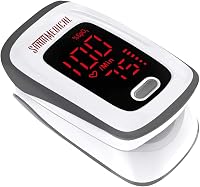
The Zacurate Pro Series 500DL displays SpO2, pulse rate, and pulse strength on an LED screen. Its stated measuring range is 70% to 100% SpO2, and its stated measurement accuracy is +/-2%.
The model is described for sports enthusiasts, pilots, and people checking SpO2 and pulse rate on the go. Zacurate also describes it as intended for sports and aviation use, not as a medical device.
How do you read the Zacurate display?
Read SpO2 as the oxygen saturation percentage and PR as the pulse rate. The display may also show pulse strength or a pulse bar, depending on the model.
The 500DL shows SpO2, pulse rate, and pulse strength. Its display can face the user, which helps when you are checking the numbers without turning your hand.
The Zacurate 500C includes an OLED screen with a plethysmograph. Its product description also identifies an auditory alarm for readings beyond set limits, auditory beeps for detected pulses, and adjustable display brightness.
Don't treat one number as a complete health assessment. If you feel unwell or have a concern about your oxygen level or pulse, contact a qualified health professional.
The FDA's pulse oximeter information explains common limits of pulse oximeter readings and factors that can affect accuracy.
What does the pulse bar or plethysmograph show?
The pulse bar or plethysmograph gives a visual indication related to the detected pulse signal. It can help you notice whether the reading is changing while you hold your finger still.
It isn't a diagnosis and doesn't replace the SpO2 or pulse value. Wait for the display to settle, then repeat the check if the numbers jump around or don't match how you feel.
How long does a Zacurate pulse oximeter take to read?
A Zacurate pulse oximeter usually needs about 10 seconds for the reading to appear. The Zacurate 500DL and 500C descriptions both use that time frame for determining SpO2, pulse rate, and pulse strength.
Stay still during those seconds. If the result keeps changing, remove your finger, warm your hand, and repeat the check after a short rest.
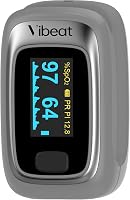
The Santamedical Generation 2 shows real-time pulse rate, pulse rate bar, and SpO2 on a bright OLED display. It also has automatic power off after 10 seconds.
The Santamedical Generation 2 comes with the fingertip pulse oximeter, neck or wrist cord, user manual, and 2 AAA batteries. Its model number is SM-1100S, and its listed dimensions are 4.1 x 2.9 x 1.9 inches.
Its battery instructions matter. The device description says the 2 batteries must be installed in opposite directions, even though the springs can be on the same side.
Choose this model if a bright display and several viewing directions fit your routine. Compare it with the best Zacurate pulse oximeter options if you want to stay with the Zacurate brand.
How do you use the Zacurate button and display controls?
Press the main button to start the device and wait for the display to show the measurement. On models with more than one display direction, use the button or follow the manual to set the screen orientation that is easiest for you to read.
The Zacurate 500DL uses a large digital LED display that faces the user. The 500C uses an OLED display with adjustable brightness according to its product description.
Avoid pressing repeatedly while the device is measuring. First keep your finger still and check whether the numbers stabilize.
If you are checking someone else, position the person's hand comfortably and keep the finger inside the chamber. For older adults, screen direction and simple placement may matter as much as the stated measuring range, so our guide to the best pulse oximeters for seniors can help with comparison.
How do you care for a Zacurate pulse oximeter?
Care for it by removing the device after each check, keeping the chamber clean and dry, and storing it with its cover when available. Follow the manual for approved cleaning methods and don't soak the device.
Wipe the outside with a suitable soft cloth, then let it dry before storage. Keep the battery compartment dry and replace batteries when the device no longer starts or the display becomes unreliable.
Don't pull the lanyard sharply or use it to swing the oximeter. Keep the cover, manual, and batteries together so the device is ready for the next spot check.
The Zacurate 500 Series 500C is listed with a 0% to 100% SpO2 measuring range and a pulse rate range of 30 to 250 BPM. Its stated measurement accuracy is +/-2%, and its stated battery life is 30 hours.
Its product description also includes an auditory alarm for SpO2 and pulse rate values beyond set limits, plus beeps for detected pulses. It is described for home, sport, recreational, mountain climbing, high-altitude, and running use, and as a sports and aviation device rather than a medical device.
Choose the 500C if its OLED display, plethysmograph, brightness control, and alert features match the way you plan to check readings. The 500DL is the simpler choice if a front-facing LED display and basic spot checks are your priority.
What should you do if the reading looks wrong?
If a reading looks unusual, repeat the check after warming your hand, resting, and repositioning your finger. Keep the hand still and wait for a stable display rather than reacting to a single changing number.
Check the battery position if the device won't turn on. Also inspect whether the finger is fully inside the chamber and whether anything is blocking the sensor area.
Don't use a pulse oximeter result alone to decide that you are safe or unwell. If symptoms are serious, sudden, or worsening, seek medical help instead of repeating the check indefinitely.
A pulse oximeter also measures pulse rate, but it doesn't show whether the rhythm is regular. For that question, read why a home EKG is better than just pulse checks and whether using an EKG to check pulse regularity is accurate.
Which Zacurate pulse oximeter setup is easiest?
The easiest setup is a warm, relaxed hand, a correctly seated finger, and enough time for the display to settle. Use the button once, keep still, and record the SpO2 and pulse only after the numbers stop shifting.
Choose the Zacurate 500DL for its front-facing LED display, 10-second reading description, silicone cover, lanyard, and 2 AAA batteries. Choose the 500C for its OLED display, plethysmograph, adjustable brightness, and described alert features.
Choose the Santamedical Generation 2 if a bright OLED display, 4 viewing directions, a pulse bar, and automatic power off after 10 seconds suit your routine. For children, check age guidance carefully, then compare the options in the best pulse oximeters for kids.
A pulse oximeter is useful for a quick spot check, but the result needs context. Repeat questionable readings with better positioning, follow the exact manual for your model, and ask a health professional about symptoms or readings that concern you.
Frequently asked questions
How do you use a Zacurate pulse oximeter?
Warm your hand, sit still, and place your finger fully inside the chamber with the nail facing up unless your model's instructions show another position. Press the button, wait for the SpO2 and pulse readings to settle, and record the result only when the display is stable.
Which finger should you use with a Zacurate pulse oximeter?
Use a clean finger that fits comfortably inside the chamber, such as an index or middle finger. Keep the hand relaxed and still, and remove anything that blocks the sensor area.
If the reading looks unusual, repeat the check after warming your hand and repositioning your finger.
Why is my Zacurate pulse oximeter not turning on?
Check that both AAA batteries are installed in the correct opposite directions shown in the battery compartment. The Santamedical Generation 2 guide specifically notes that the springs can be on the same side while the batteries still face opposite ways; if it still will not start, contact the manufacturer.
How long should you leave a Zacurate pulse oximeter on your finger?
Leave it in place long enough for the SpO2 and pulse values to appear and settle, which the Zacurate 500DL and 500C descriptions place at about 10 seconds. Keep your hand still during the check, then remove your finger when you have a stable reading.