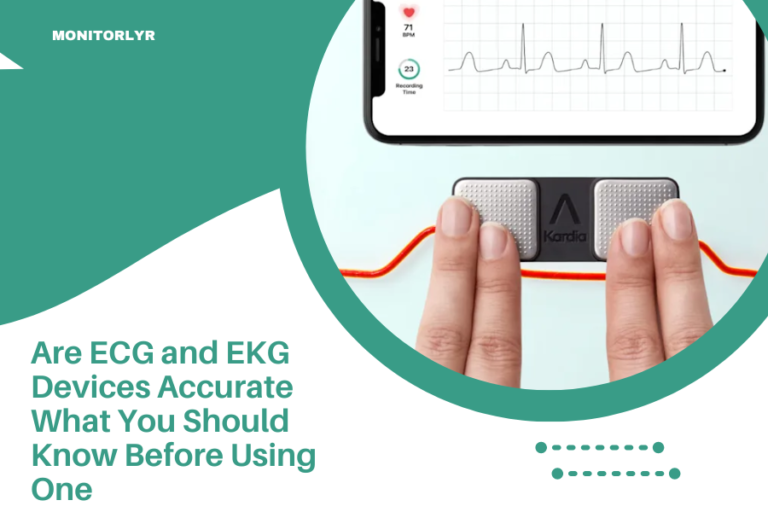
How to Switch Leads on Your Portable EKG Device
To switch leads on your portable EKG device, power off the unit first, then gently disconnect the old lead wires by pressing the connector tabs and pulling straight out.
Connect new leads by aligning the connectors with their matching ports and pushing firmly until you hear or feel a click, ensuring secure attachment before powering back on.
Why You Need to Know Lead Switching
Your portable EKG device is only as good as its leads. Think of leads like the ears of your device – they pick up your heart’s electrical signals.
When leads wear out, get damaged, or need cleaning, you’ll need to swap them out. I found that most people avoid this simple task because they worry about breaking something expensive.
Don’t worry. Lead switching is straightforward once you know the steps.
When to Replace Your EKG Leads
You’ll know it’s time for new leads when readings become inconsistent or fuzzy. Bad leads give you bad data.
Signs Your Leads Need Replacement
- Crackling or static in readings
- Intermittent signal loss
- Visible cracks in wire coating
- Bent or damaged connectors
- Sticky residue that won’t clean off
I came across research showing that worn leads can produce false readings up to 30% of the time (American Heart Association). That’s not a risk worth taking with your heart health.
Safety First: Power Down Your Device
Always turn off your EKG device before touching any leads. This protects both you and the electronics inside.
Wait about 10 seconds after powering down. This gives internal components time to discharge safely.
Check Your Environment
Work in a clean, dry space. Static electricity can damage sensitive EKG circuits.
Wash your hands before handling leads. Oils from your skin can interfere with conductivity over time.
Understanding Your Lead Configuration
Most portable EKG devices use either 3-lead or 12-lead systems. The switching process is similar, but connector types vary.
3-Lead Systems
These use three wires: right arm, left arm, and left leg. Colors are usually white, black, and red.
12-Lead Systems
More complex setups with chest leads (V1-V6) plus limb leads. These give your doctor a complete heart picture.
Lead Wire Color Coding
Standard colors help prevent mix-ups. Most manufacturers follow American Heart Association guidelines:
| Lead Position | Wire Color | Body Placement |
|---|---|---|
| RA (Right Arm) | White | Right shoulder area |
| LA (Left Arm) | Black | Left shoulder area |
| LL (Left Leg) | Red | Left lower torso |
| RL (Right Leg) | Green | Right lower torso |
Step-by-Step Lead Removal Process
Here’s where the rubber meets the road. Follow these steps exactly to avoid damage.
Locate the Lead Connectors
Find where your lead wires plug into the main unit. They’re usually on the side or top of portable devices.
Look for small tabs or release buttons near each connector. These are your key to safe removal.
Remove Leads One at a Time
Never yank on the wires themselves. That’s like pulling a phone charger by its cord – you’ll break something.
Press the release tab gently while pulling the connector straight out. Use steady pressure, not jerky motions.
If a Lead Won’t Budge
Sometimes connectors stick from use. Try wiggling gently side to side while maintaining outward pressure.
I found that a tiny amount of electronic contact cleaner can help stubborn connectors. Use it sparingly.
Installing New Lead Wires
Installation is basically removal in reverse. But there are tricks to make it smoother.
Match Connectors Carefully
Each lead wire has a specific port. Most connectors are keyed – they only fit one way.
Don’t force anything. If it doesn’t slide in easily, you probably have the wrong port or orientation.
Listen for the Click
Properly seated connectors make a small click or snap sound. This tells you they’re locked in place.
Give each wire a gentle tug after connecting. It shouldn’t come loose with light pressure.
Testing Your New Lead Connection
Power up your device and run a quick test. Most portable EKGs have a lead check function.
What Good Connections Look Like
Your screen should show clean, steady waveforms without gaps or noise.
All lead indicators should show green or connected status. Red warnings mean something’s not right.
Troubleshooting Connection Problems
Fuzzy readings usually mean loose connections. Power down and reseat all leads.
No signal at all? Check that you haven’t mixed up lead positions. White goes to RA, black to LA, and so on.
Common Lead Switching Mistakes
I researched common user errors and found these happen most often.
Mixing Up Lead Positions
Putting leads in wrong ports gives you backwards or inverted readings. Always double-check colors and labels.
Forcing Connectors
Damaged ports are expensive to repair. If something won’t fit, stop and look closer.
Not Cleaning Contact Points
Dirty connectors cause poor readings. Wipe both male and female connectors with alcohol before connecting.
Maintaining Your EKG Leads
Good maintenance extends lead life and keeps readings accurate.
Cleaning After Each Use
Wipe down lead wires with alcohol wipes. Pay special attention to electrode attachment points.
Let everything dry completely before storing. Moisture breeds bacteria and corrodes connectors.
Proper Storage
Coil leads loosely to prevent wire fatigue. Tight coiling creates stress points that crack over time.
Store in a clean, dry case. Many devices come with dedicated lead storage compartments.
When to Call for Help
Sometimes lead switching reveals bigger problems that need professional attention.
Damaged Device Ports
Cracked or bent connector ports on your main unit need factory repair. Don’t try DIY fixes on medical devices.
Persistent Connection Issues
If new leads still give bad readings, your device may need calibration or internal service.
Contact your device manufacturer’s support team. They know their products best.
Choosing Replacement Leads
Not all leads work with all devices. Compatibility matters for safety and accuracy.
Stick with Original Manufacturer Parts
Generic leads might be cheaper, but they may not meet medical device standards.
I found studies showing that non-certified leads can introduce electrical noise that affects readings (FDA Medical Device Reports).
Quality Indicators to Look For
- FDA clearance or CE marking
- Shielded wire construction
- Gold-plated connectors
- Medical-grade materials
Budget-Friendly Lead Management
EKG leads don’t have to break your budget with smart planning.
Buy in Sets
Complete lead sets cost less per wire than individual replacements. Plus you’ll have spares ready.
Rotate Your Leads
If you use your EKG daily, rotate between two sets. This extends the life of both sets.
Conclusion
Switching leads on your portable EKG device is simpler than most people think. Remember to power down first, remove old leads gently using release tabs, and connect new leads firmly until they click into place. Clean connections and proper handling will keep your device working accurately for years. When in doubt, consult your user manual or contact the manufacturer’s support team. Your heart health depends on accurate readings, so don’t cut corners on lead quality or maintenance.
How often should I replace my EKG device leads?
Replace leads every 6-12 months with regular use, or immediately if you notice signal problems, visible damage, or cleaning issues. Heavy users may need replacement every 3-4 months.
Can I use generic leads instead of manufacturer-branded ones?
While generic leads may fit, manufacturer-branded leads ensure proper calibration and safety standards. Generic options might save money but could compromise reading accuracy or device warranty coverage.
What should I do if my new leads still give poor readings?
First, check that all connectors are fully seated and clean. If problems persist, test with another set of known-good leads. Continued issues likely indicate a device problem requiring professional service.
Is it safe to switch leads while the device is powered on?
No, always power down your EKG device before switching leads. Live electrical connections can damage sensitive circuits and potentially create safety hazards during the switching process.
How can I tell if I’ve connected the leads to the wrong ports?
Wrong port connections typically show inverted waveforms, missing signals, or error messages on your device screen. Most modern EKG devices also display lead connection status indicators that will show problems immediately.